A.
How to set IP address of the DVR and open TCP port of the router?..........................................105
B.
How to access DVR from Remote PC? ......................................................................................107
C. How to access DVR with iPhone?.................................................................................................110
D. How to access DVR with Android?................................................................................................117
1. Name, Function and Connections
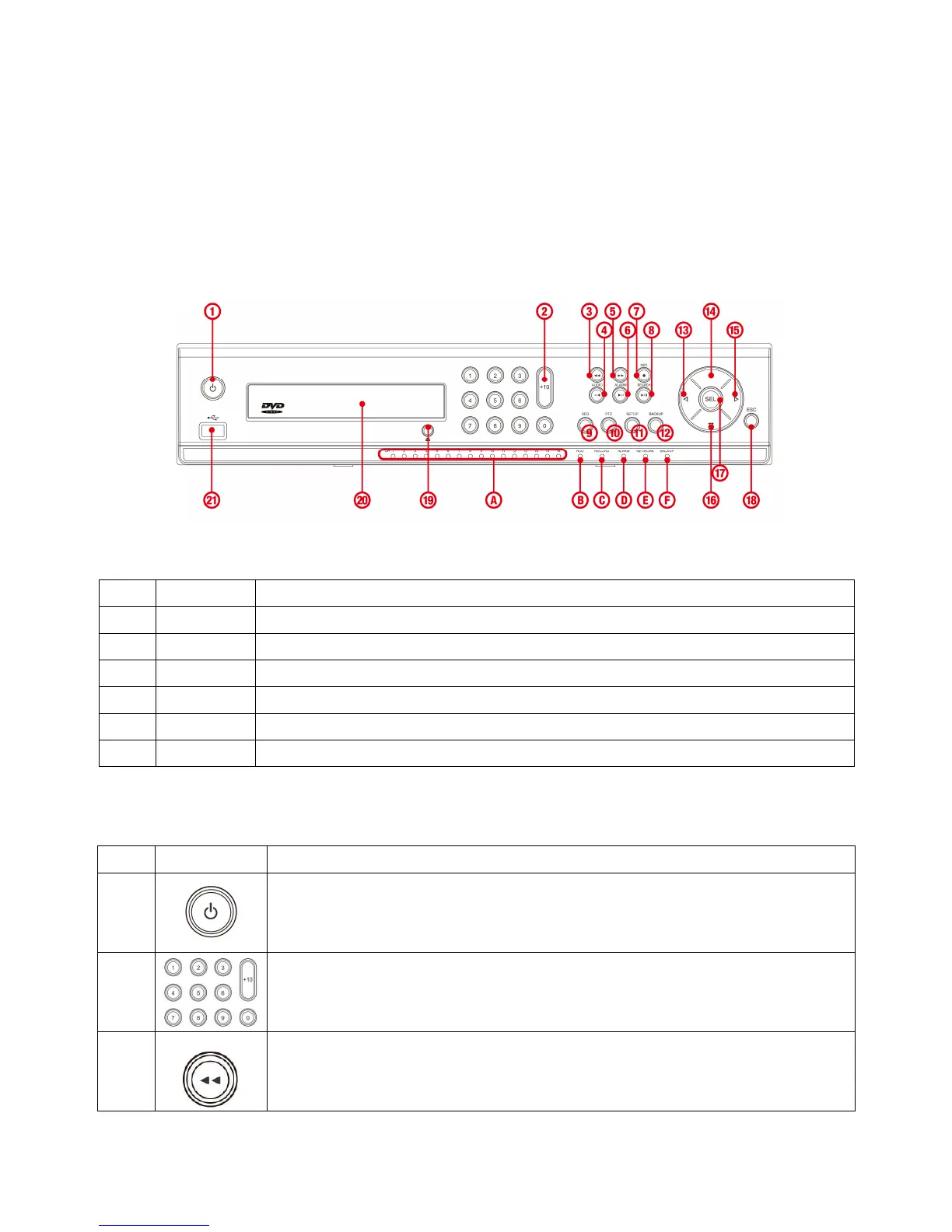
1-1. Front Panel
The following information will help you to operate the front panel controls.
Figure 2.1.1. Front panel for HDDVR008A
NO. Name Description
A
CH1~8
Indicating that the channel is being recorded.
B
HDD
Indicating that the system is accessing the hard disk.
C
RECORD
Indicating that the system is recording video data.
D
ALARM
Indicating that when sensor(s) is/are triggered or motion is detected.
E
NETWORK
Indicating that when Network client connects through the network.
F
BACKUP
Indicating that USB or DVD-RW storage device is stored images or video.
Table2.1.1. Indication lamps for HDDVR004A / HDDVR008A
Table 2.1.2. Front panel buttons for HDDVR016A
NO
Name
Description
1
POWER ON/ OFF
2



 To Next Page