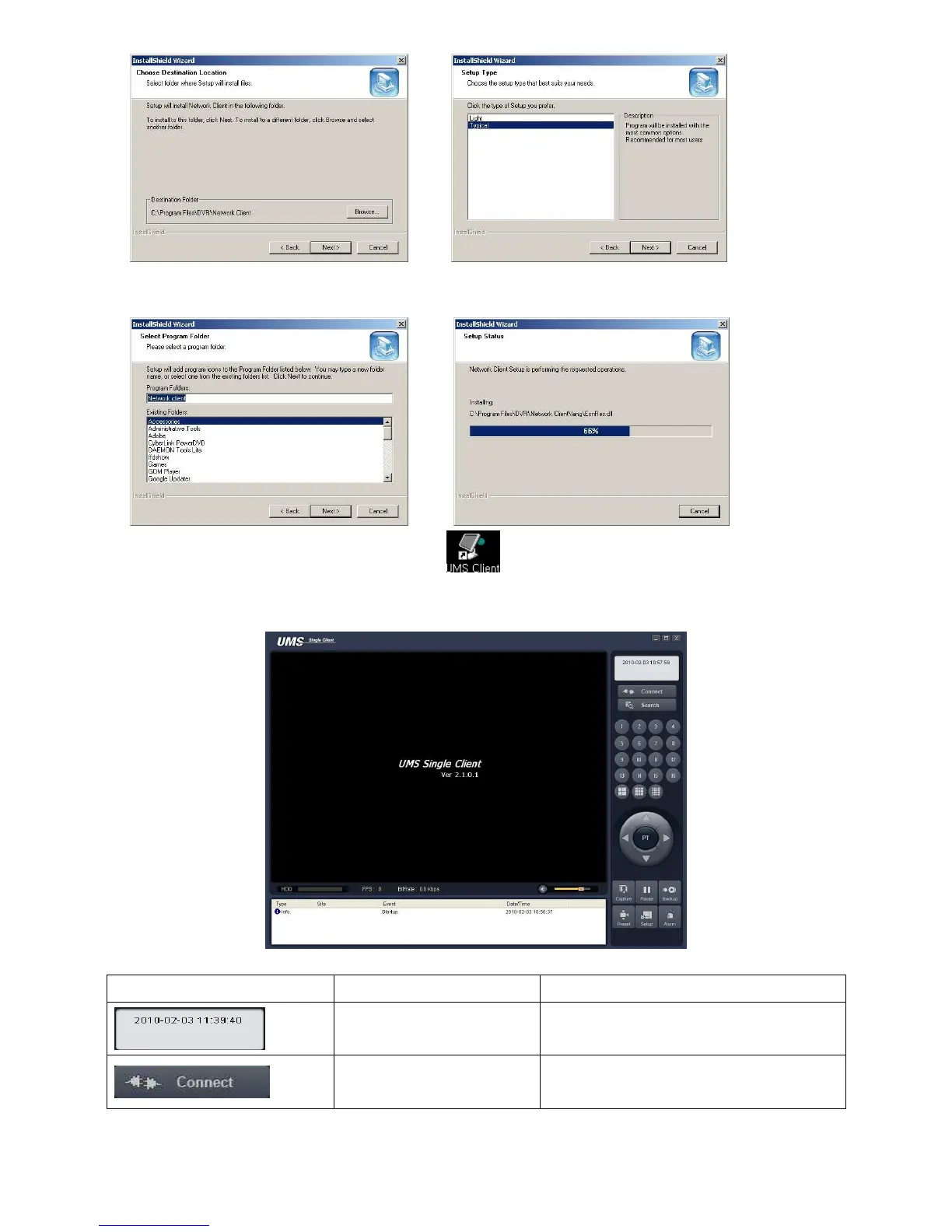
4. Select the program folder and click
“Next”.
5. The setup status screen is displayed.
After the installation is completed, “UMS Client” icon is displayed on the desktop.
8-3. Live monitoring mode and functions.
Button Function Description
DATE & TIME
Displays the current date and time.
CONNECT/DISCONNECT



 To Next Page