8
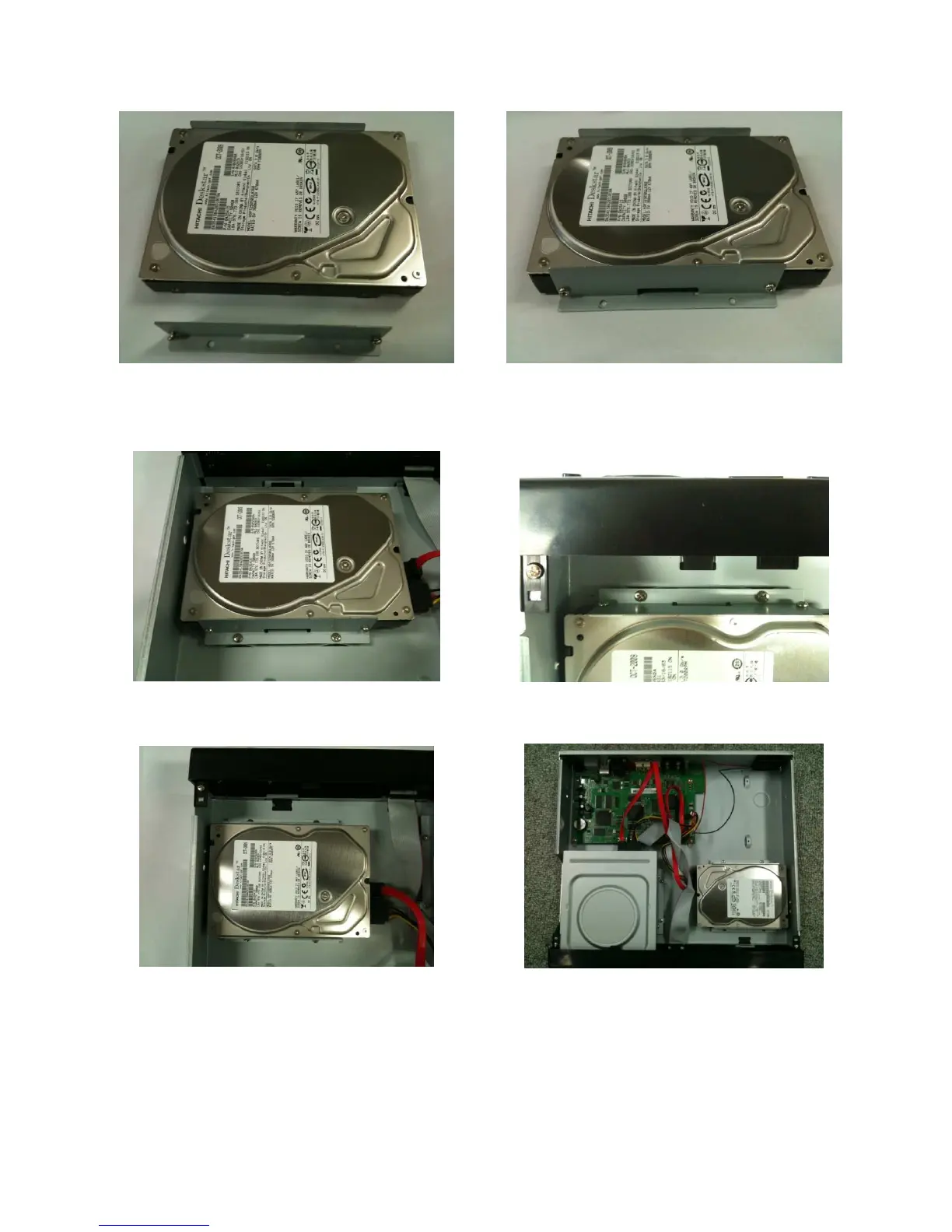
Mounting HDD (HDDVR004A / HDDVR008A)
1. Before installing, mounting brackets and
screws onto HDD.
2. The HDD with the mounting brackets.
3. Install HDD with fixing screws onto the inside
of the system
4. Install HDD with fixing screws onto the
inside of the system
5. After, connecting a power cable and data
cable with HDD
6. Whole picture after installing HDD



 To Next Page