13
4.3. Setup menu
A. Move cursor to SETUP icon at main menu;
B. Press can enter setup menu.
4.3.1. Adjust clock
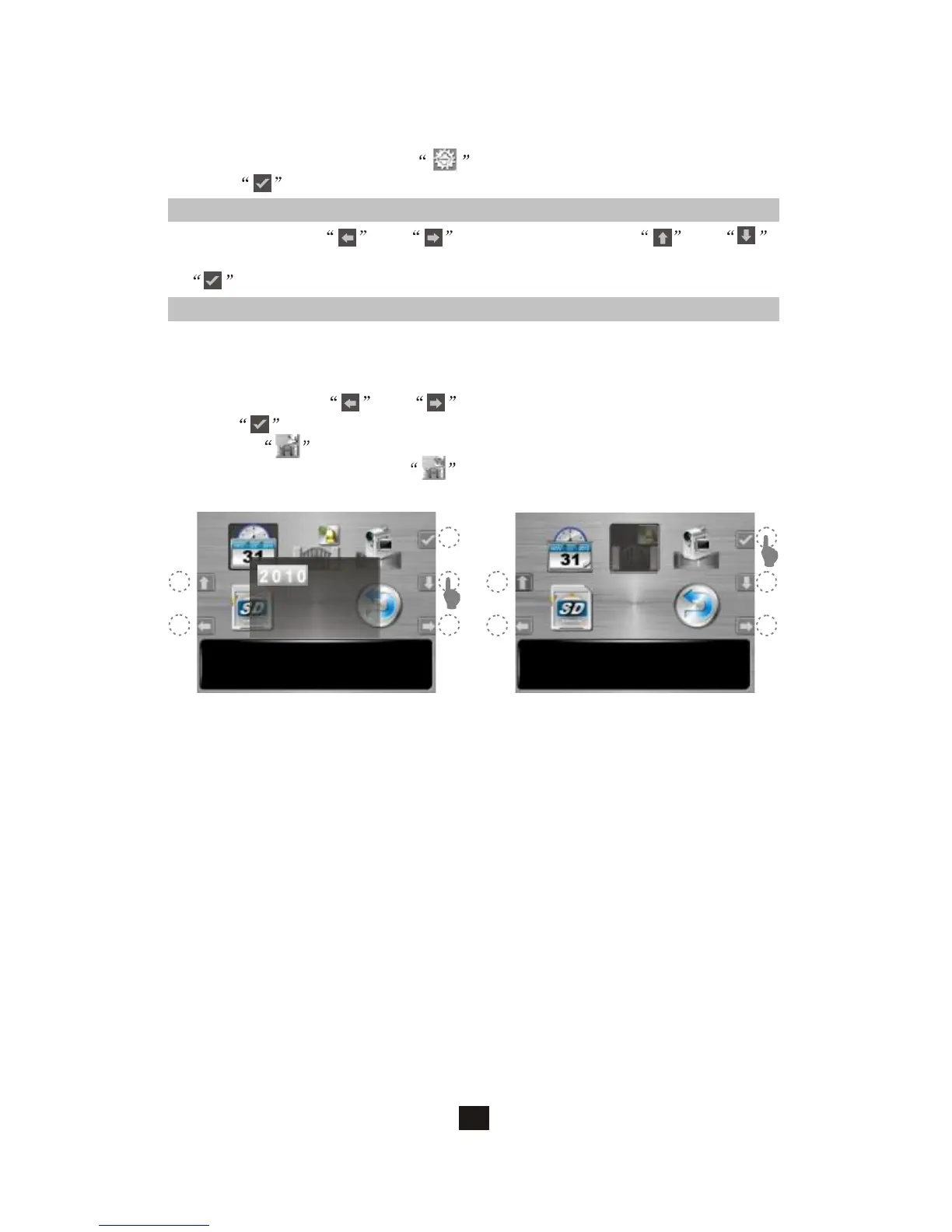
A. At setup menu, and can move the cursor; and
can alter parameter (figure 1);
B. can save your new setup.
Set Time/Date 15:30
V3.0.2(101206)
2010/12/08
15:29:30
YY/MM/DD
(figure 1)
Door Status Chime 15:30
V3.0.2(101206)
4.3.2. Door open status indication
A. There are PT1 and PT2 terminals on main monitor for connection of a
magnetic switch to detect door open status.
(magnetic switch is not included in the package)
B. At setup menu, and can move the cursor to the mode you
like; can save your setup (figure 2).
C. If select , when door is opening, the main monitor will make a
chime indication; If select , when door is opening, the LED of
the main monitor's door release button will turn ON.
(figure 2)



 To Next Page