EasyManua.ls Logo

Comelit HFX-700M KIT - User Manual

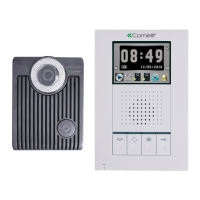
Comelit HFX-700M KIT
36 pages
Print Icon
To Next Page IconTo Next Page
Loading...
HANDS-FREE EXPANDABLE
VIDEO INTERCOM SYSTEM
,
OWNERS MANUAL
INSTALLATION AND OPERATION
HFX-700M KIT

Table of Contents

Other manuals for Comelit HFX-700M KIT

Questions and Answers

Summary

2. HFX-700 M KIT

2.1. HFX-700 M KIT Parts Identification

Identification of main monitor and door camera components for the HFX-700M KIT.

2.2. HFX-700 M KIT Operation

Details on operating the HFX-700M KIT, including visitor calls and monitoring.

3. Expansion Video Monitor (EX-700 H)

4. Expansion Audio Monitor (EX-700 A)

Section 2: Installation Article

1. System Layout

Overview of system layout options and wiring configurations for the intercom system.

2. Read Before Installation

Important considerations and precautions before proceeding with installation.

3. HFX-700 M Installation

Step-by-step guide for installing the HFX-700M main unit.

3.2. Install Main Monitor

Procedure for installing the main HFX-700M monitor unit.

3.3. Install Door Camera

Procedure for installing the HFX-700M door camera.

4. EX-700 H Installation

Installation procedure for the EX-700H expansion video monitor.

5. EX-700 A Installation

Installation procedure for the EX-700A expansion audio monitor.

6. EX-700 D Installation

Installation procedure for the EX-700D expansion door camera.

9. Technical Specifications

Detailed technical specifications for the HFX-700M main monitor and door camera.

9.1. HFX-700 M(main monitor) specification

Detailed technical specifications for the HFX-700M main monitor.

9.2. HFX-700 M(door camera) or EX-700 D specification

Specifications for the HFX-700M door camera or EX-700D.

10. Trouble Shooting

Guide to resolving common problems with the intercom system.

Summary

2. HFX-700 M KIT

2.1. HFX-700 M KIT Parts Identification

Identification of main monitor and door camera components for the HFX-700M KIT.

2.2. HFX-700 M KIT Operation

Details on operating the HFX-700M KIT, including visitor calls and monitoring.

3. Expansion Video Monitor (EX-700 H)

4. Expansion Audio Monitor (EX-700 A)

Section 2: Installation Article

1. System Layout

Overview of system layout options and wiring configurations for the intercom system.

2. Read Before Installation

Important considerations and precautions before proceeding with installation.

3. HFX-700 M Installation

Step-by-step guide for installing the HFX-700M main unit.

3.2. Install Main Monitor

Procedure for installing the main HFX-700M monitor unit.

3.3. Install Door Camera

Procedure for installing the HFX-700M door camera.

4. EX-700 H Installation

Installation procedure for the EX-700H expansion video monitor.

5. EX-700 A Installation

Installation procedure for the EX-700A expansion audio monitor.

6. EX-700 D Installation

Installation procedure for the EX-700D expansion door camera.

9. Technical Specifications

Detailed technical specifications for the HFX-700M main monitor and door camera.

9.1. HFX-700 M(main monitor) specification

Detailed technical specifications for the HFX-700M main monitor.

9.2. HFX-700 M(door camera) or EX-700 D specification

Specifications for the HFX-700M door camera or EX-700D.

10. Trouble Shooting

Guide to resolving common problems with the intercom system.

Comelit HFX-700M KIT Specifications

General IconGeneral
CameraYes
Night VisionYes
TypeVideo Intercom
InstallationIndoor
MountingWall
Audio TypeFull-duplex
Display7-inch TFT LCD

Related product manuals