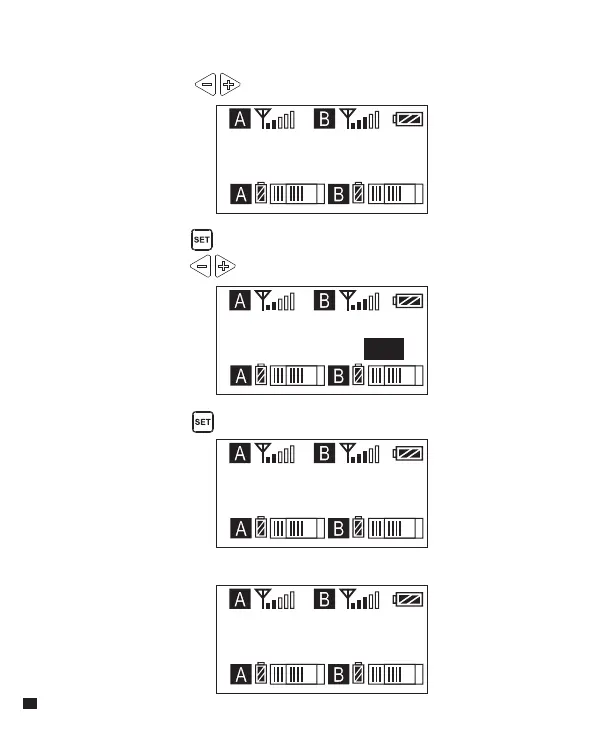
Group A Setting
Group A Setting
Group A Setting
Group A Setting
Auto scan CH48
Auto scan CH36
Auto scan ? Yes
Scanning......
6.4 The best channel will be used after scanning
6. Group A/B Automatic Channel Scan
6.1 Short Press button to ‘ Auto Scan ’ display page
6.2 Long press button to enter ‘ Auto Scan ’ display page, and
short press button to select whether to auto scan
6.3 Short press button to ‘ Scanning......’
36














 To Next Page