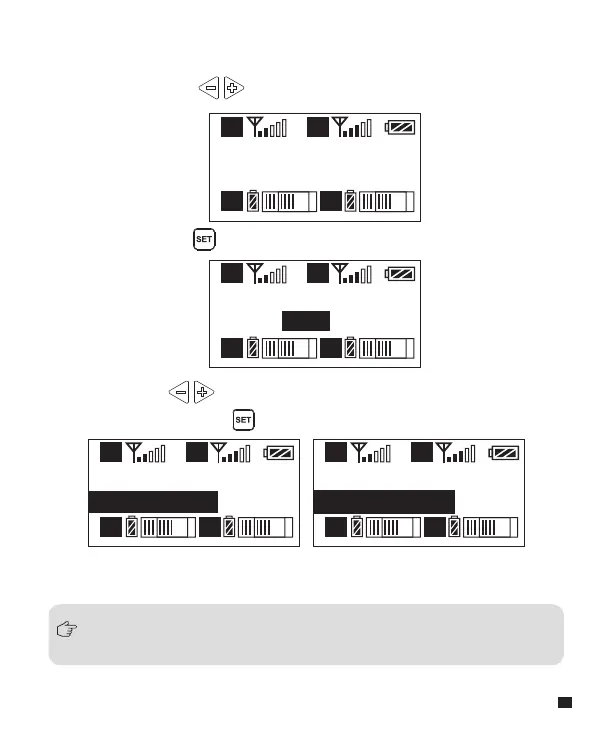
Group A Setting
Sync
A
A B
B
Group A Setting
Sync?
YES
A
A B
B
Group A Setting
Matching......
A
A B
B
Group A Setting
Matched!
A
A B
B
Group A Setting
Sync
7.Group A/B IR Sync
7.3 Use the button to select whether to match,
and short press to confirm
7.1 Short Press button to ‘ ’ display page
7.2 Long press button for IR Matching with transmitter
While in IR matching, please make sure the IR sensor of transmitter and receiver
point to point within 30cm, otherwise it may not succeed.
37














 To Next Page