14 of 29
5.2 Setup
Preparation
CompactFlash Card
• Ensure your CompactFlash Card has enough space for all your media
content.
• Format the Compact Flash card with FAT32.
• Create a new folder “MEDIA” on CompactFlash Card.
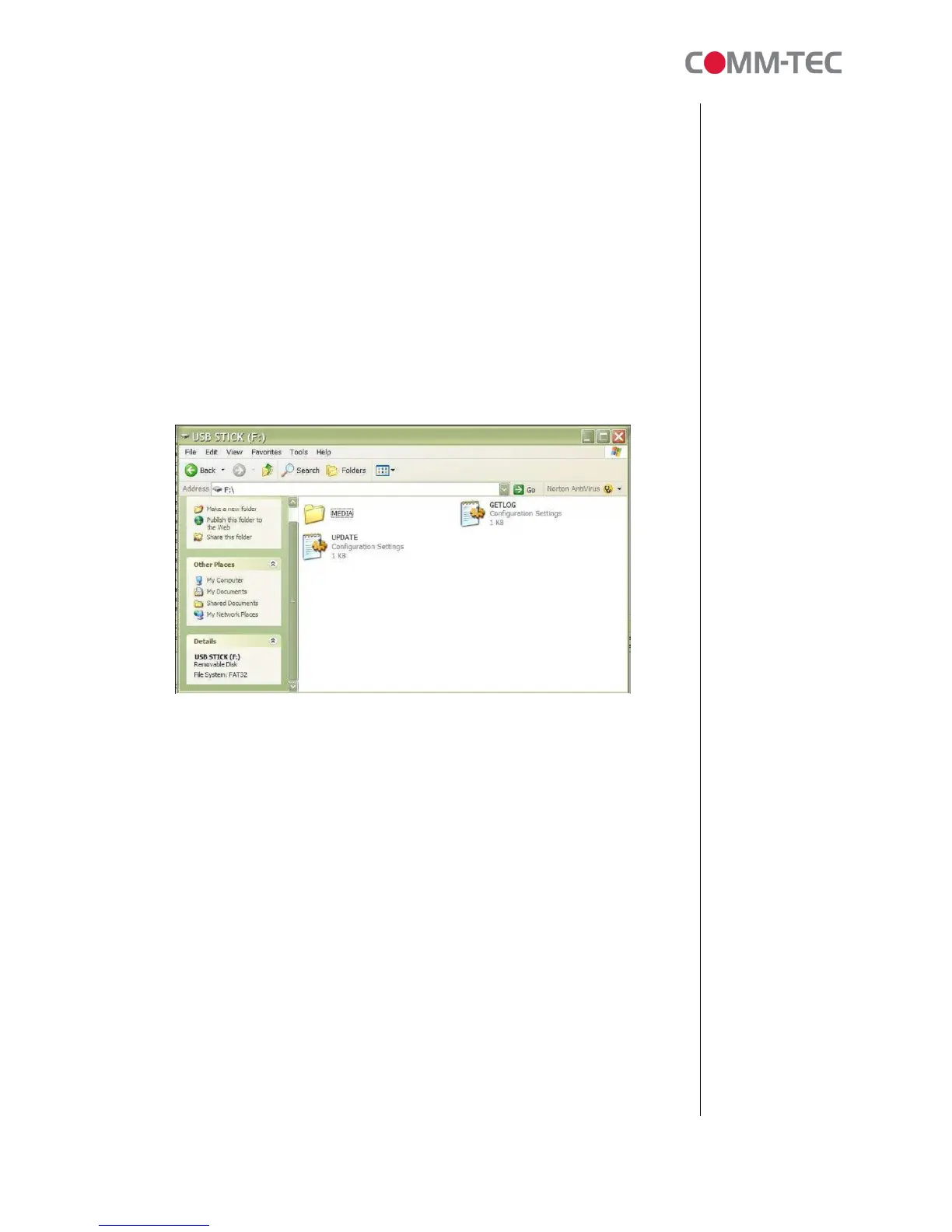
USB Memory Stick
• Ensure the USB memory stick has been formatted with FAT32.
• Create a new folder “MEDIA” on USB memory stick.
• Create a text file named “UPDATE.INI” (The file size must not be 0KB) on
root directory. Refer to Content Update section for details.
• Copy all media content (.mpg, .jpg) into the “MEDIA” folder. Those files are
prepared for uploading on the CompactFlash card later.
Connection
Connecting USB memory stick directly to the USB port on ProPLAY.



 To Next Page