15 of 29
5.3 Content Update
Upload new media content
1. Make sure the ProPLAY must be power off before inserting the
CompactFlash Card and USB memory stick.
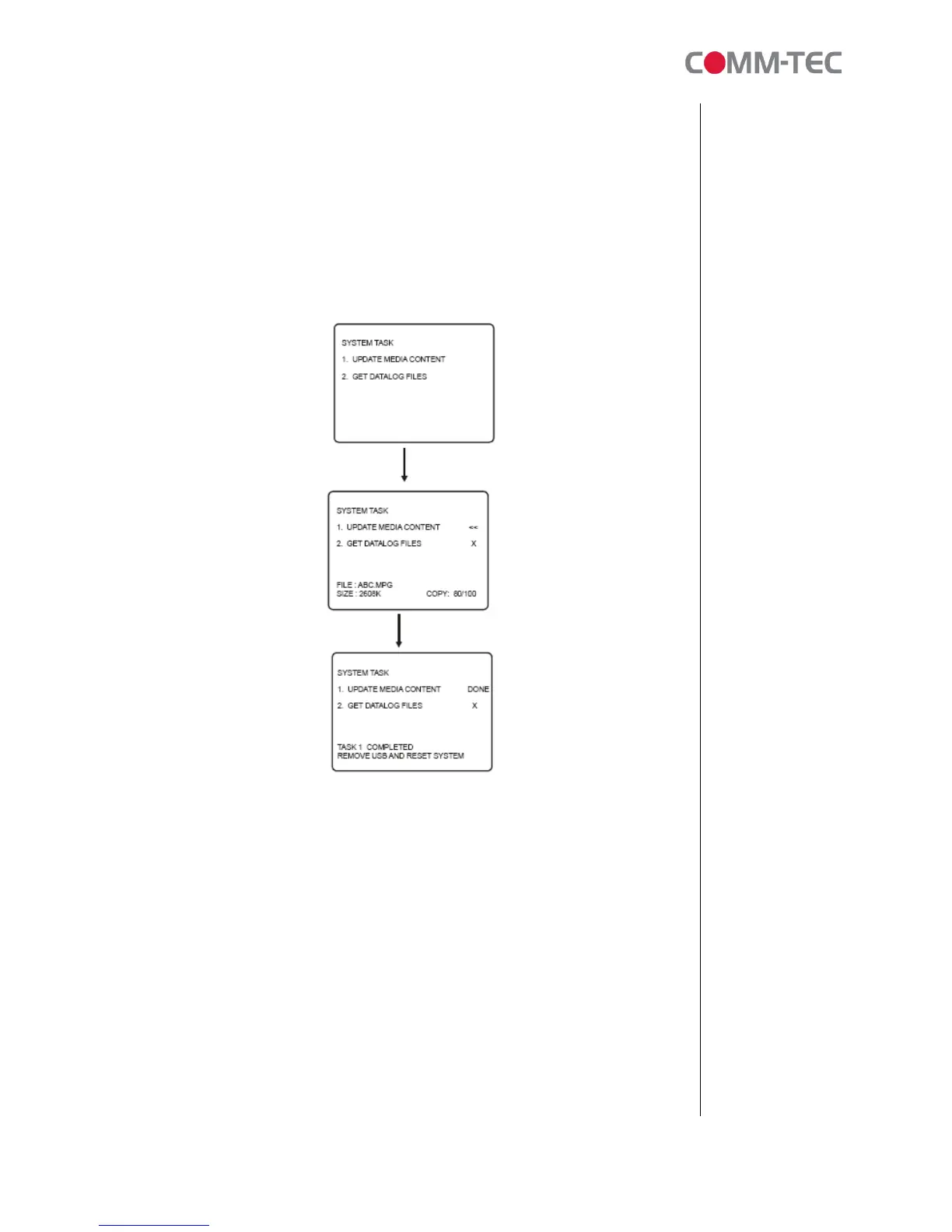
2. When the media content is being copied from memory stick to
CompactFlash Card. A sequence of screens will be shown as below:
3. Once files copy completed, power off the ProPLAY unit and
disconnect the memory stick.
4. Power on the ProPLAY and see if all content are updated and played.
Note: All media files must be stored and running inside the
“MEDIA” (case sensitive) folder on CompactFlash card. The media file(s) stored
outside “MEDIA”
folder will not be played by the ProPLAY.
Update.log
A log file will be created automatically on the USB memory stick once the upload
process is done successfully. This log file records the history of content update
as shown as below example:



 To Next Page