18 of 29
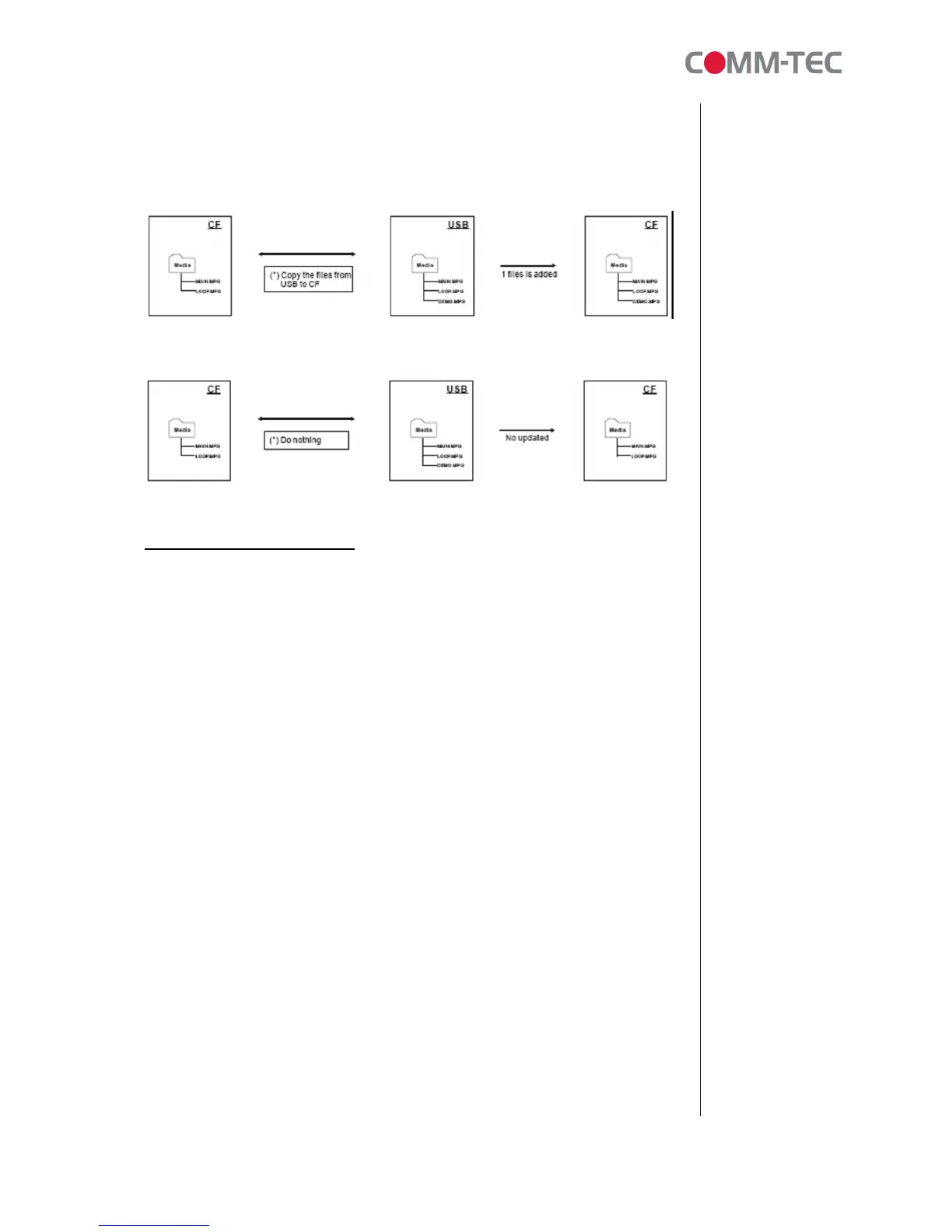
Files present in USB only
If the file(s) only be found on USB memory stick but not on CF, then those files
will be copied to CF.
Option 1 – Copy the files from USB to CF
Option 2 – Do nothing
6. Content Creation Guide
6.1 Supported Video Formats
The ProPLAY is conform to both NTSC and PAL video formats. Appropriate output
to an NTSC or PAL monitor is switched manually by positioning the device mounted
switch to the appropriate setting.
You may elect to create content into either format and display this content
independent of the requirements of the TV. This is to say that you can send PAL
created content to an NTSC monitor. This can be useful if your content has small
text (PAL is best) or if your content has fast motion. (NTSC is best)
The following are the Pro’s and Con’s of both formats. You should become familiar
with the standard of the country you will be providing content to, as well as, the
“rules” for creating content for this format.
NTSC/525 Advantages
• Higher Frame Rate – Use of 30 frames per second (really 29.97) reduces
visible flicker.
• Color Edits – With NTSC it is possible to edit at any 4 field boundary point
without disturbing the color signal.
• Less inherent picture noise – Almost all pieces of video equipment achieve
better signal to noise characteristics in their NTSC/525 form than in their
PAL/625.
NTSC/525 Disadvantages
• Lower Number of Scan Lines – Reduced clarity on large screen TVs, line
structure more visible.



 To Next Page