#20379_L
US customer support 1-888-622-2377 | www.commandaccess.com | CA customer support 1-855-823-3002
3
installation instructions
1
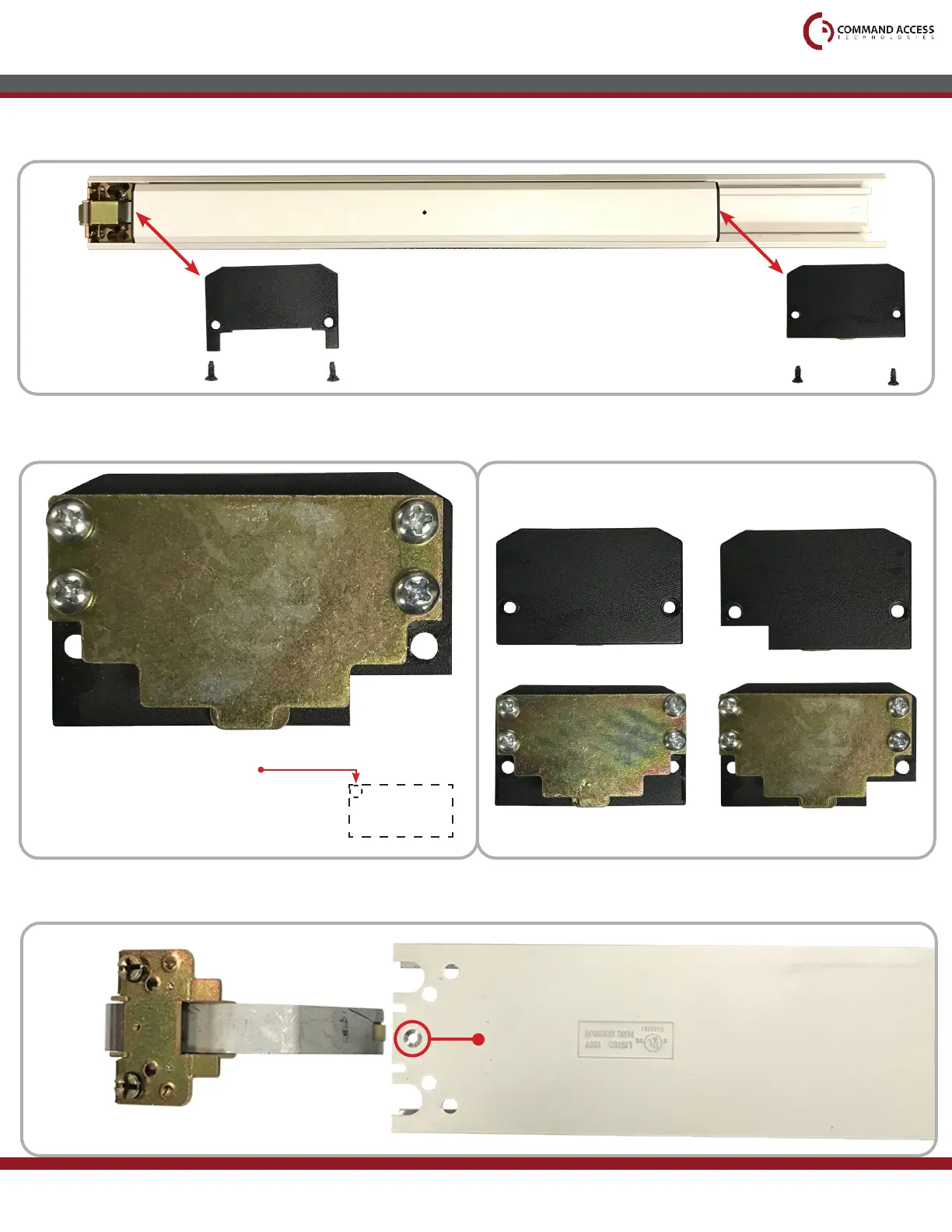
Remove the Front and Back End Caps, which are held on by four screws (two each).
2
Material will need to be removed from the Back End Cap.
3
Flip the bar over to remove Head Assembly. RIM devices will be held in by 1 screw, CVR devices by 2.
Front End Cap Back End Cap
Head Assembly
Screw
Before: After:
5/8”
5/16”
Drill pilot hole on top corner
(RIM device shown)



 To Next Page