#20379_L
US customer support 1-888-622-2377 | www.commandaccess.com | CA customer support 1-855-823-3002
8
installation instructions
17
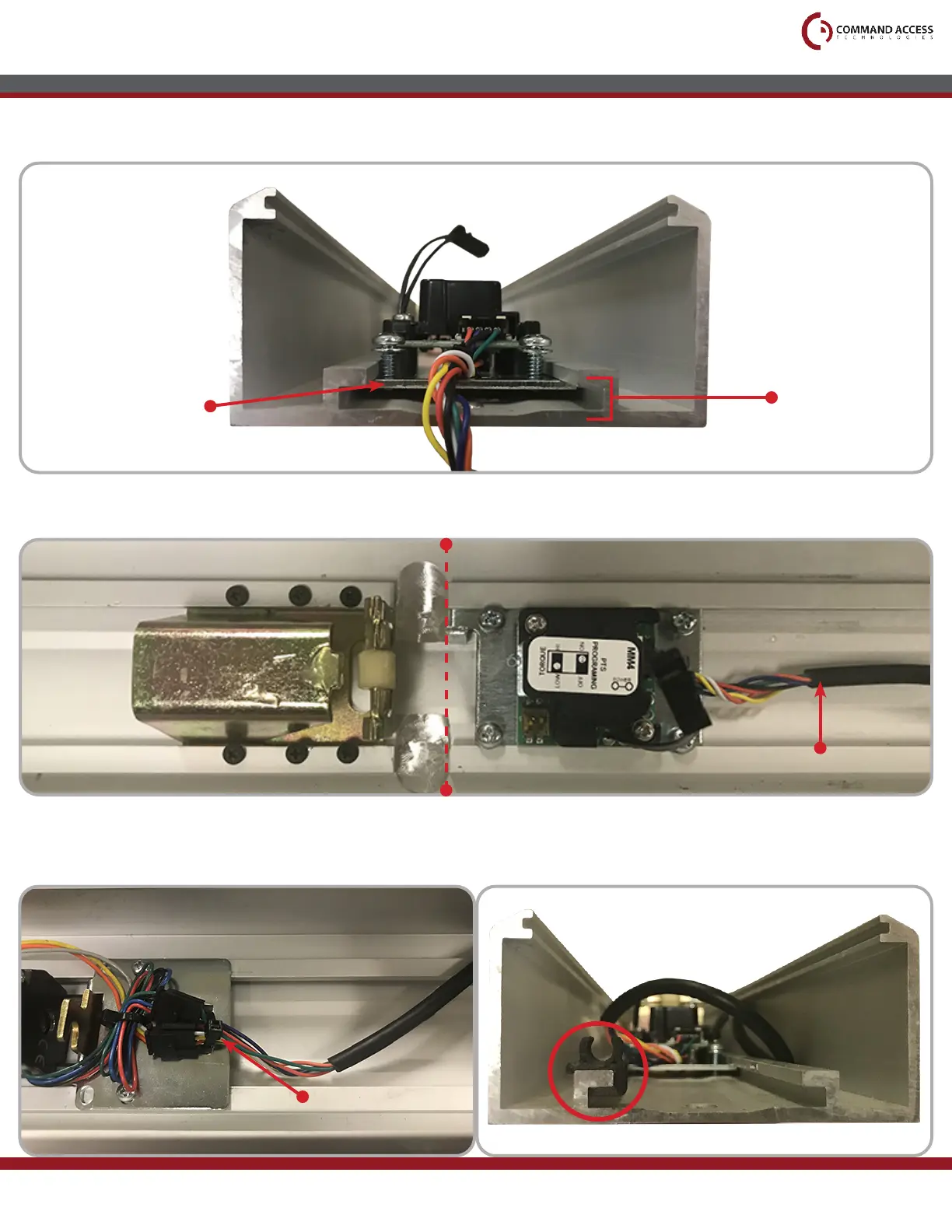
Line up the edge of the Module Bracket to the machining mark on the Base Rail, then tighten all four
screws. (The Module Harness should be running out the back of the Base Rail)
18
Plug the other end of the Module Wiring Harness into the the MLRK1 and secure it with the Zip Tie.
You will use the three provided Cable Guides to nish installing the Module Wiring Harness, which will
be installed on the Channel as shown below.
16
Next, slide the Module Bracket into the Channel at the bottom of the Base Rail.
(Back of Base Rail)
Module Bracket
Channel
Module Harness
Zip Tie
Correct
Cable Guide Installation
Push Pad
Guide



 To Next Page