#20379_L
US customer support 1-888-622-2377 | www.commandaccess.com | CA customer support 1-855-823-3002
9
installation instructions
17
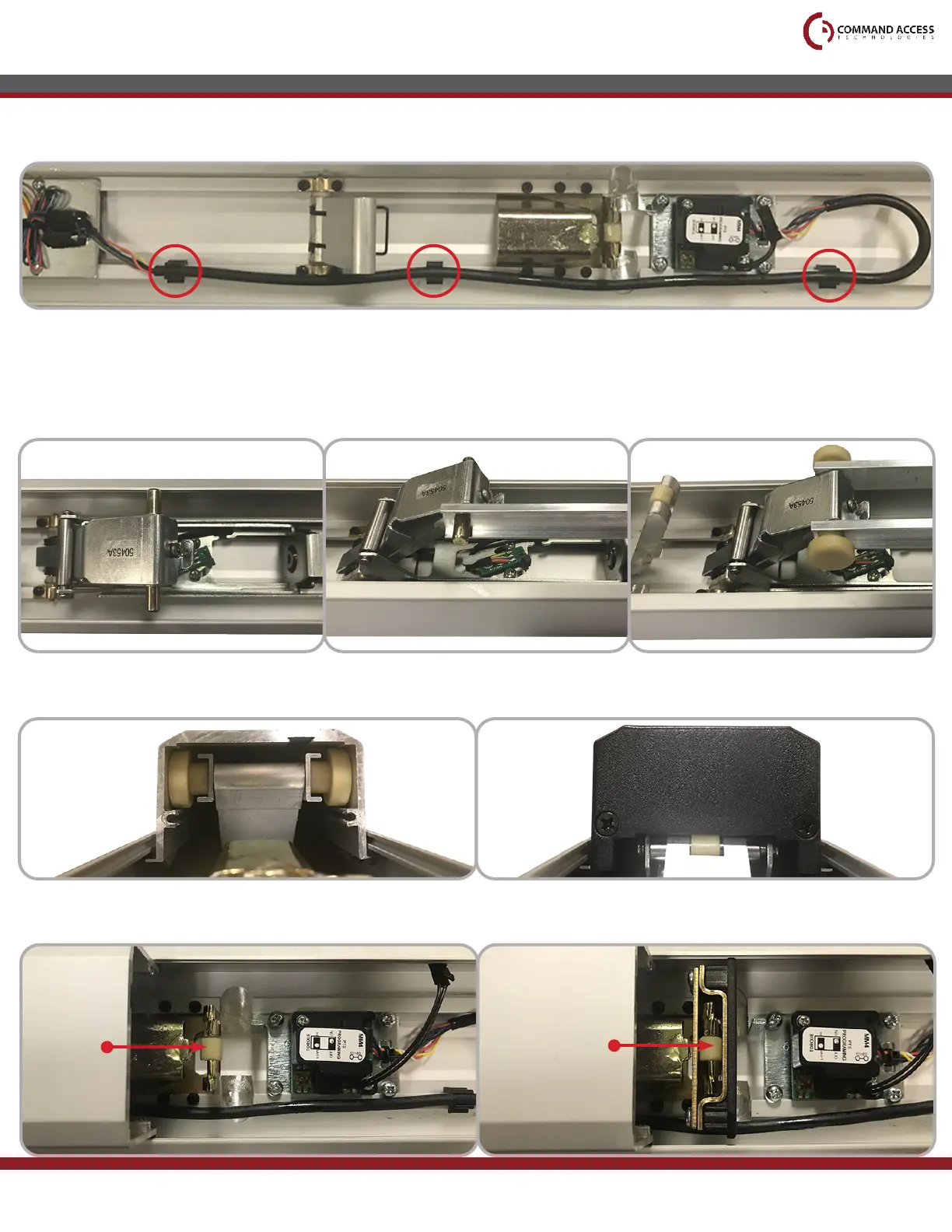
Reassmble the Front and Back Activating Brackets by:
• First sliding the Rolls Pins into the brackets
• Then placing the two Connecting Rods on the Roll Pins as shown
• Finally slide on the Thin Clear Washers and Guides to complete the assembly
18
Reinstall the Push Pad, making sure the Activating Bracket Guides sit in their correct channel. Then
install the Front End Cap and its two screws.
16
Install the Cable Guides as shown, then press the Module Wiring Harness into them.
19
*IMPORTANT* When reinstalling the Rear End Cap, make sure that it is riding on the Push Pad Guide.
Push Pad
Guide
Correct
Installation
Shown



 To Next Page