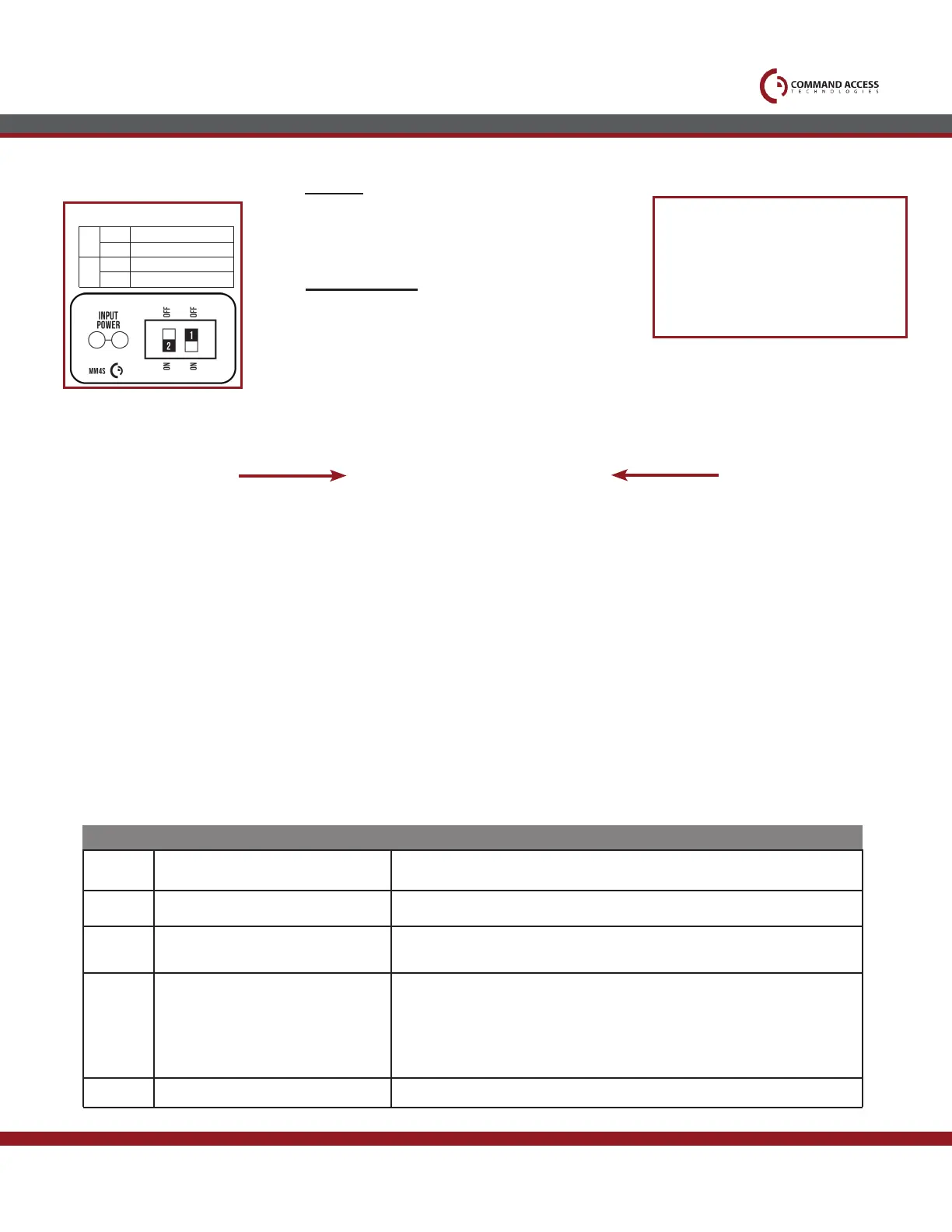
Select your preferred torque mode (ships in standard torque) Press the device push pad to the
desired setting. (Recommend to fully depress and release 5%, giving the device room for changing
door conditions.)
Step 2-
While depressing the push pad, apply power. (i.e. presenting the credential to the reader).
Step 3-
Continue to keep pad depressed, the device will beep 6 times. After the beeps have stopped, release
the pad and now the adjustment is complete. If not to your liking repeat the 3 steps.
Step 4-
Once you found the correct location, turn PTS switch to OFF position.
Setting PTS
**Important Info**
Make sure to set PTS before nishing installation
Step 1-
• Input Voltage: 24VDC +/- 10%
• Wire gauge: Minimum 18 gauge
• Direct wire run - no relays or access control units in-
between power supply & module
US customer support 1-888-622-2377 | www.commandaccess.com | CA customer support 1-855-823-3002
• Single Pole - Double Throw (SPDT)
• Rating: .5A @24VAC
• Conguration:
Green - Common (C)
Blue - Normally Open (NO)
Gray - Normally Closed (NC)
POWER
Request to Exit
Average Latch Retraction Current: 2 Amp
Average Holding Current: 250 mA
High Torque Mode
Average Latch Retraction Current: 1.3 A
Average Holding Current: 215 mA
Standard Torque Mode
Technical Information
SPECIFICATIONS
MM4 SWITCHES
2
STANDARD TORQUE
HIGH TORQUE
PTS PROGRAMMING OFF
PTS PROGRAMMING ON
1
OFF
OFF
ON
ON
2 Beeps
3 Beeps
5 Beeps
6 Beeps
Beeps
Explanation
Solution
Over Voltage
Under Voltage
Retraction or dogging failure
PUSH TO SET
> 30V unit will shut down. Check voltage & adjust to 24 V.
< 20V unit will shut down. Check voltage & adjust to 24 V.
After 1st fail: 5 beeps then immediately attempts to retract again.
After 2nd fail: 5 beeps with pause in-between for 30 seconds then device
attempts to retract again.
After 3rd fail: 5 beeps every 7 minutes, device will not attempt to retract.
To Reset: Depress bar for 5 seconds at any time.
Device is recording it’s new position and power mode after the 6th beep.
Troubleshooting & Diagnostics
4 Beeps Failed Sensor
Verify all 3 sensor wires are installed correctly. Replace sensor if problem
persists by contacting ofce.



 To Next Page