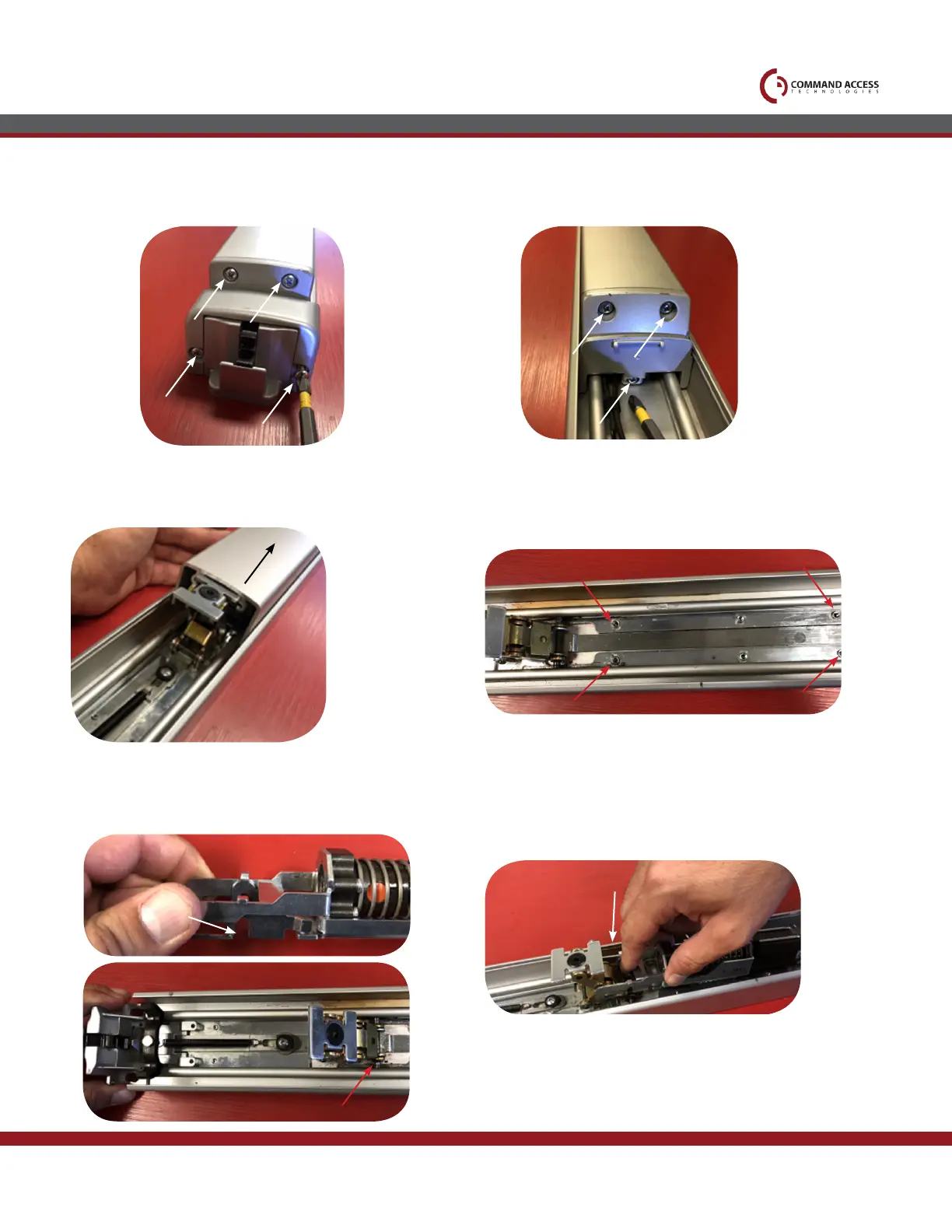
Remove head cover & front push pad end cap.
1.
Slide off push pad
3.
Grab motor kit make sure magnet bracket is all the
way back. The hooks will be open to drop over activit-
ing bracket pin.
5.
Remove both back push pad end caps
2.
Remove dogging if present. Motor kit will line up with
existing front & back screw holes & hooks onto the front
activitating bracket.
4.
Install front of the motor kit with the hooks
dropping over roll pin.
6.
US customer support 1-888-622-2377 | www.commandaccess.com | CA customer support 1-855-823-3002



 To Next Page