9
8.
Opening the entrance of Multi-entry panel with password
1) Open the entrance with resident password.
(The doors do not open by default password "1234".
you use this function only after changing default password into
new one,)
① Enter the resident number in Multi Entry Panel.
② Press " " button.
③ Enter the residential PIN number
④ Press " " button.
The door is opened with the "OPEN" message displaying on the
LCDscreen.
2) Open the entrance with Building password.
① Enter "9900"in Multi Entry panel
② Press " " button.
③ Enter the "Building password"
④ Press " " button.
The door is opened with the "OPEN" message displaying on the
LCD screen.
9. BRIGHT, COLOR, CONT setting
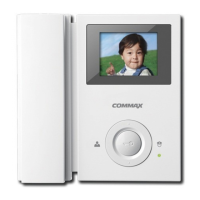
- Bright, Color and CONT is adjustable when the monitor must be on.
1) BRIGHT setting
①Press the BRIGHT button in the right in status of the screen on.
②Power LED is blinked as fast (BRIGHT control mode)
③Control the BRIGHT as the user wants by pressing UP/DOWN button
④Hold "BRIGHT"button for 2 seconds and release it to be saved
⑤Power LED is blinked as normal
2) COLOR setting
①Press the COLOR button in the right in status of the screen on
②Power LED is blinked as fast (COLOR control mode)
③Control the BRIGHT as the user wants by pressing UP/DOWN button
④Hold "COLOR"button for 2 seconds and release it to be saved
⑤Power LED is blinked as normal


 To Next Page