10
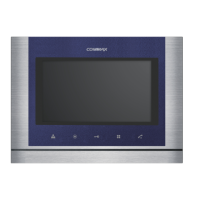
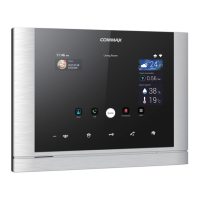
•You can adjust DOOR VIDEO SET, UTILITY and check INFORMATION(model
name &version) with (UP)△ / (DOWN)▽ button after pressing Menu button on the
front of the product in video talk mode or stand-by monitoring.
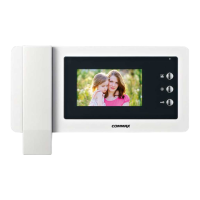
•Products settings need the following 4 buttons on the right of product.
* Start Menu / Exit : MENU button * Select and in-put : SELECT (Interphonebutton)
* Move up / Move right : △/▷(Open button)
* Move down / Move left : ▽/◁(Monitoring button)
4-1. Screen setting (Brightness/Contrast/Color adjustment function)
Press the Menu button and access to DOOR VIDEO SET and enter the setting menu by
pressing SELECT button.
(1) BRIGHTNESS : Adjusting Brightness of Screen
(2) CONTRAST : Adjusting Contrast of Screen
(3) COLOR : Adjusting Color of Screen
※ How to adjust
① Move to Menu you want to adjust with △/▽ button on the list of DOOR VIDEO SET
② Press SELECT button to choose an icon.
③ Adjust the set value with ◁/▷button
④ To complete the set, press SELECT button.
(4) RESET : Initializing
※ How to Reset
① Move to RESET menu in DOOR VIDEO SET menu
② Press SELECT to enter the menu.
③ Select YES with ◁/▷button
④ Press SELECT button.
(5) EXIT : Go back to setting mode
4-2. UTILITY(additional function)
Press the Menu button and access to Utility SET and enter the menu by pressing SELECT
button.
(1) CHIME-BELL VOLUME : setting call sound level
① Move to CHIME-BELL VOLUME icon with △ /▽ button in UTILITY Menu.
② Press SELECT to enter the menu.
5. Settings



 To Next Page