7
3) Monitoring (Individual entrance / Common entrance / CCTV)
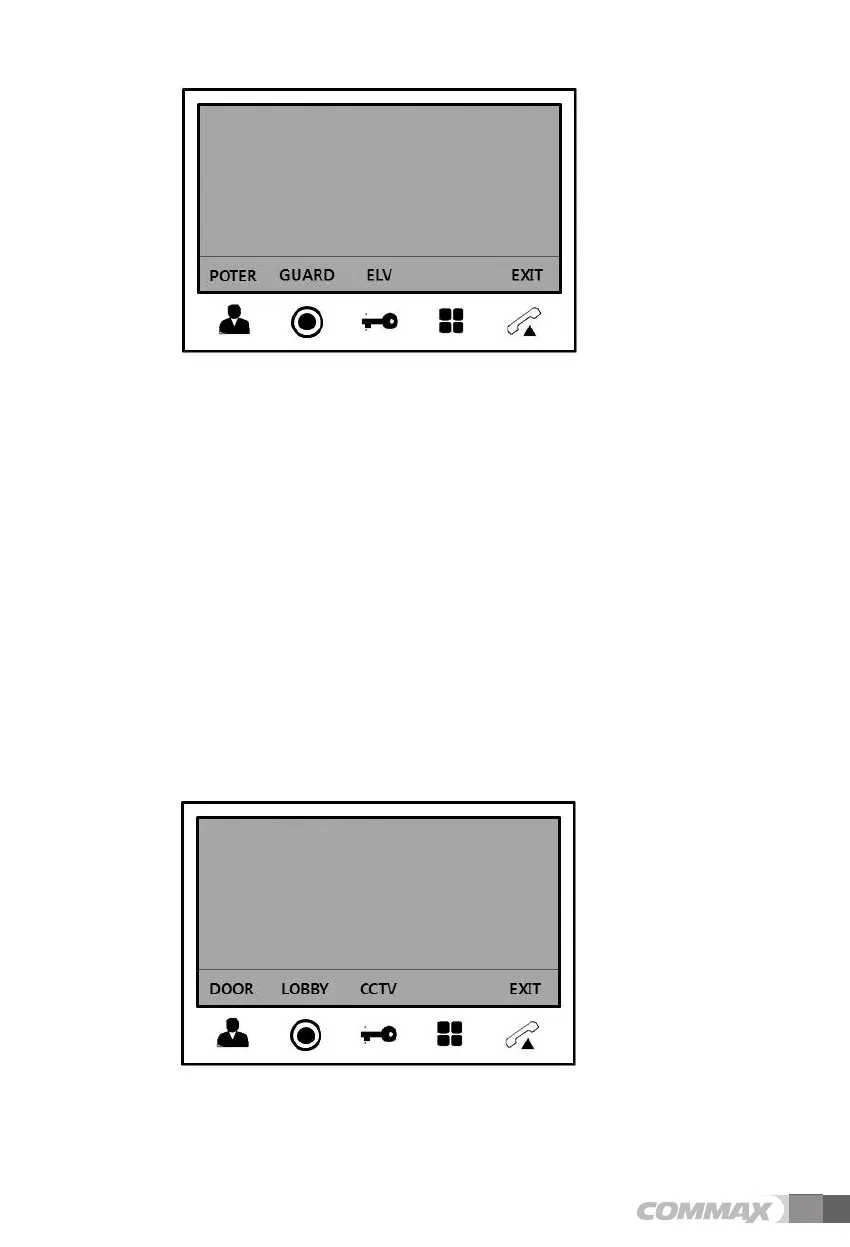
- The following menu will be appeared on the right-lower corner when press the “Monitoring”
button in standby mode.
- Press “Monitoring” button to monitor the individual entrance when OSD menu displays on
screen.
- Press “Guard and interphone” button to monitor the common entrance when OSD menu
appears on screen.
: Press 'Talk' button to make a call while monitoring the individual and common entrance.
Press 'Talk' button to finish the menu.
- Press “Door release” button to monitor CCTV when OSD menu appears on screen.
: When the CCTV monitoring mode is selected, the additional select menu displays on
screen. Press 'Talk' button to finish it. (Refer to description below to select CCTV for
monitoring.)
- Additional CCTV selection menu


 To Next Page