EasyManua.ls Logo

Commodore 1940 - Connecting the Monitor to a Computer

Commodore 1940
98 pages
Print Icon
To Next Page IconTo Next Page
To Previous Page IconTo Previous Page
Loading...
GB-8
Monitor
1940/1942
Connecting
the
Monitor
to
a
Computer
Turn
off
the
power
to
both the
monitor
and
the
computer
to
prevent
damage.
Unplug
the
computer
and
the
monitor
before
installation.
Installing
the
monitor
with
the
power
on
could
cause
injury
to
the
in
staller
and
damage
to
the
equipment.
Commodore
will
not
assume
responsibility
for
any
damages
caused
by
improper
installation
of
the
monitor.
Such
improper
installation
will
void
the
warranties on
both
the
computer
and
the
monitor.
Connecting
to
Amiga
Computers
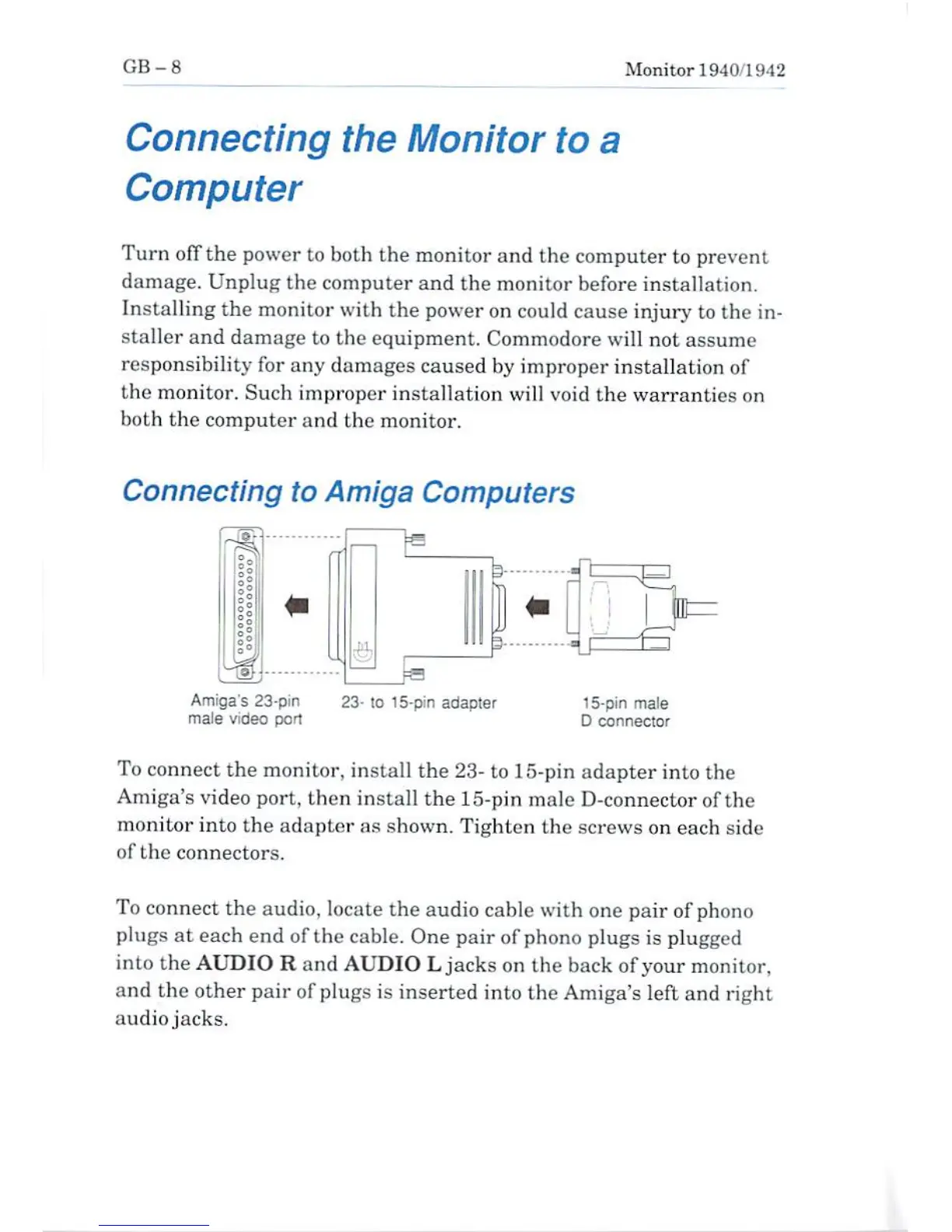
Amiga's
23-pin
maJe
video
port
lo
15-pin
adapter
15-pin
male
D
connector
To
connect
the
monitor,
install
the
23-
to
15-pin
adapter
into
the
Amiga's
video
port,
then
install
the 15-pin
male
D-connector
of
the
monitor
into
the
adapter
as
shown.
Tighten
the
screws
on
each
aide
of
the
connectors.
To
connect
the
audio,
locate
the
audio
cable
with
one
pair of
phono
plugs
at
each
end
of
the
cable.
One
pair of
phono
plugs
is
plugged
into
the
AUDIO
R
and
AUDIO
L
jacks
on
the
back
of
your
monitor,
and
the
other
pair
of
plugs
is
inserted
into
the
Amiga's
left
and
right
audio
jacks.

Other manuals for Commodore 1940

Related product manuals