Basic troubleshooting
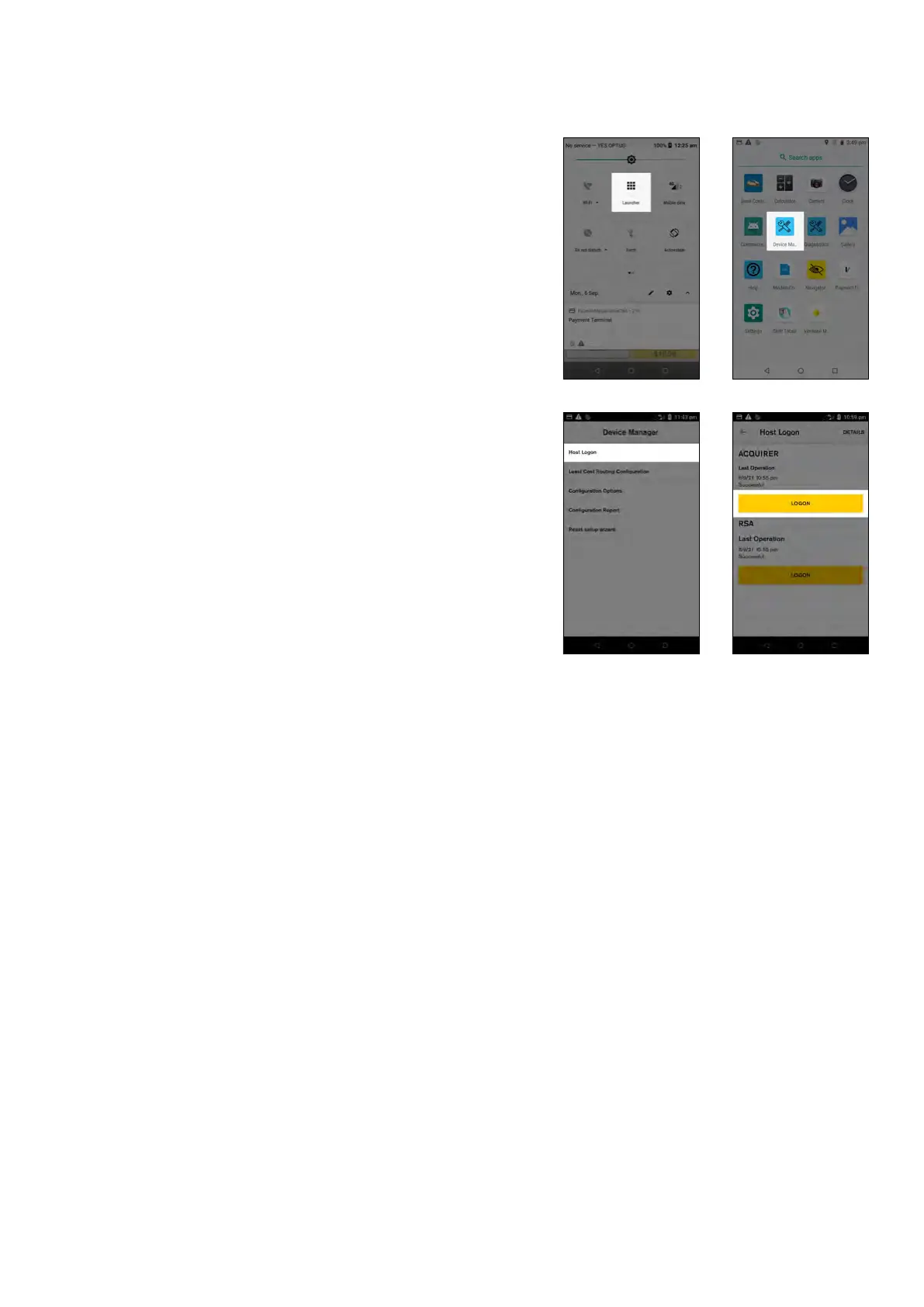
Checking your terminal can log on
1. Select ‘Launcher’
2. Select ‘Device Manager’
3. Select ‘Host Logon’
4. Press the ‘LOGON’ button and check the result
indicates “Successful”
5. If you are unable to see this success status, terminal
logon has failed and you will need to contact the
CommBank Merchant Helpdesk on 1800 230 177
27 Commonwealth Bank of Australia | Smart User Guide



 To Next Page