Basic troubleshooting
Checking your Wi-Fi connection
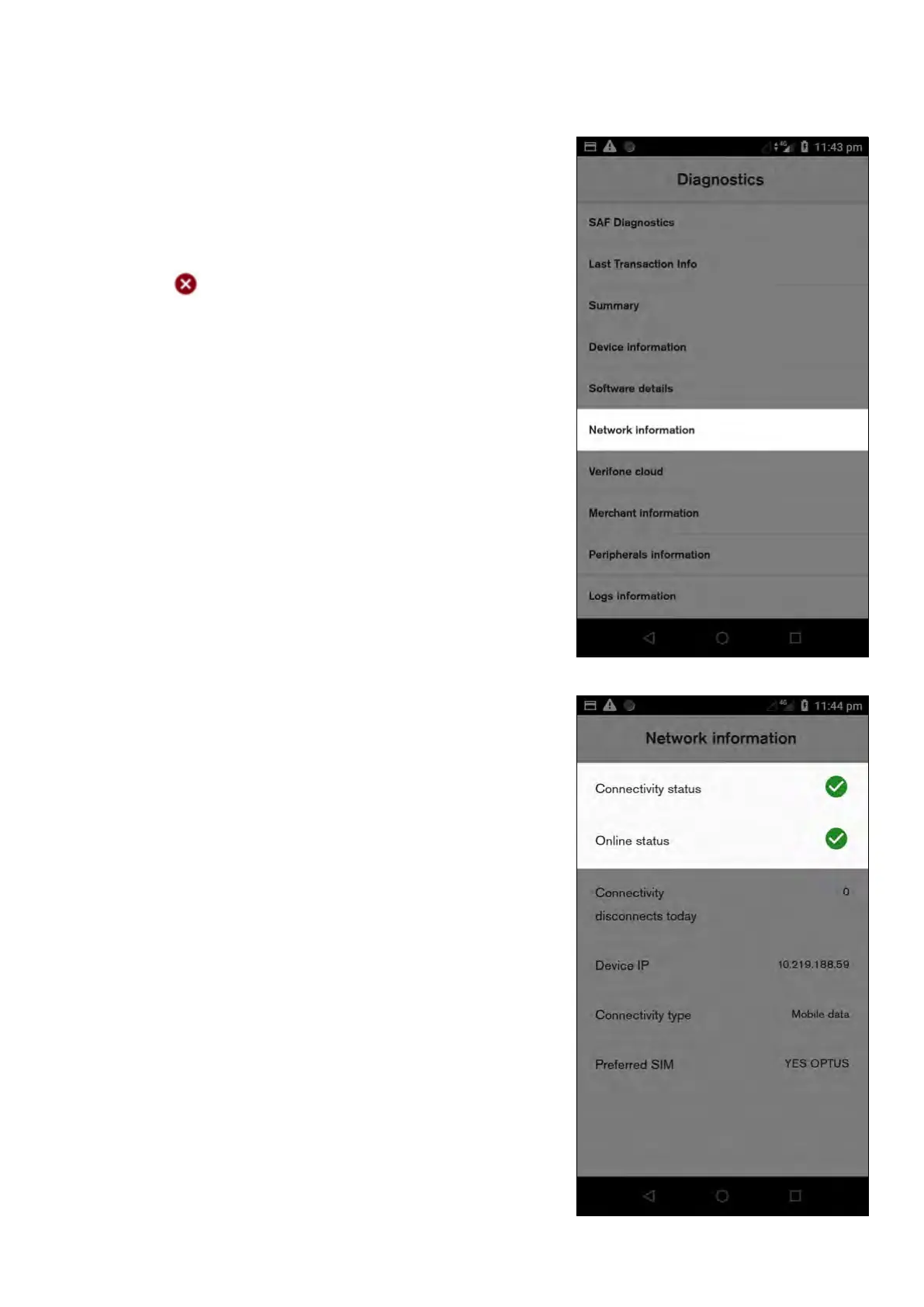
1. Launch the ‘Diagnostics’ app
2. Select ‘Network information’. This will update the status
of each item
3. If either the ‘Connectivity status’ or the ‘Online status’
show as then there is an issue with the Wi-Fi
connection
28 Commonwealth Bank of Australia | Smart User Guide



 To Next Page