Manual 7950 Pager
© CommtechWireless Page 13
2.13 Private Time
You can select a time period during which your pager is completely silent. Your pager still receives
messages but is does not alert. The pager alerts only if an alarm expires or a priority message is
received.
2.13.1 Set Private Time
(1) From the Function menu, press to move the cursor to .
(2) Press .
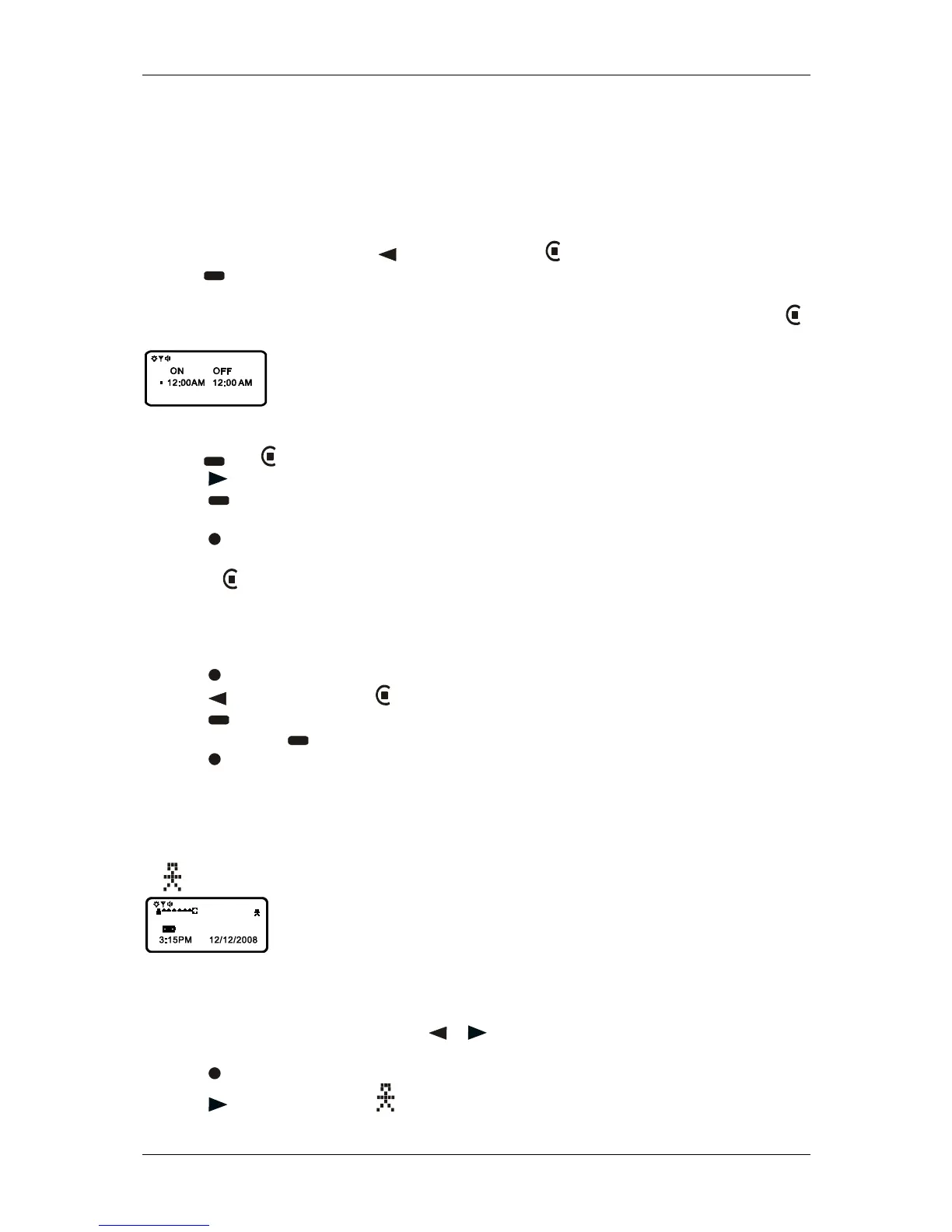
When the Private-time screen is first displayed, the cursor is at the flashing symbol on the far left,
indicates private time is enabled, indicates private time is disabled.
Example of Set Private-Time Screen
(3) Press until is displayed.
(3) Press to move the cursor to the hour digit.
(4) Press to adjust the hour digit.
(5) Repeat steps 4 and 5 to adjust the on and off time setting.
(6) Press to activate you selection.
The symbol is displayed in the Standby screen when private time is enabled.
Note: If the on time is equal to the off time, private time is not enabled.
2.13.2 Disable Private Time
(1) Press .
(2) Press to move the cursor to .
(3) Press .
(4) Press and release until is displayed.
(5) Press to disable private time.
2.14 Notebook
Your pager has a personal notebook for storing personal messages. Notebook messages are indicated
by , Personal messages are indicated on the first row of the display.
Example of Notebook Locations
2.14.1 Storing Personal in Your Notebook
(1) From the Message-status screen, press or to move the cursor to the personal message you
want to move into the notebook.
(2) Press .
(3) Press to move the cursor to .



 To Next Page