Installation
Page 12
Step 3 - Connecting the VHF antenna
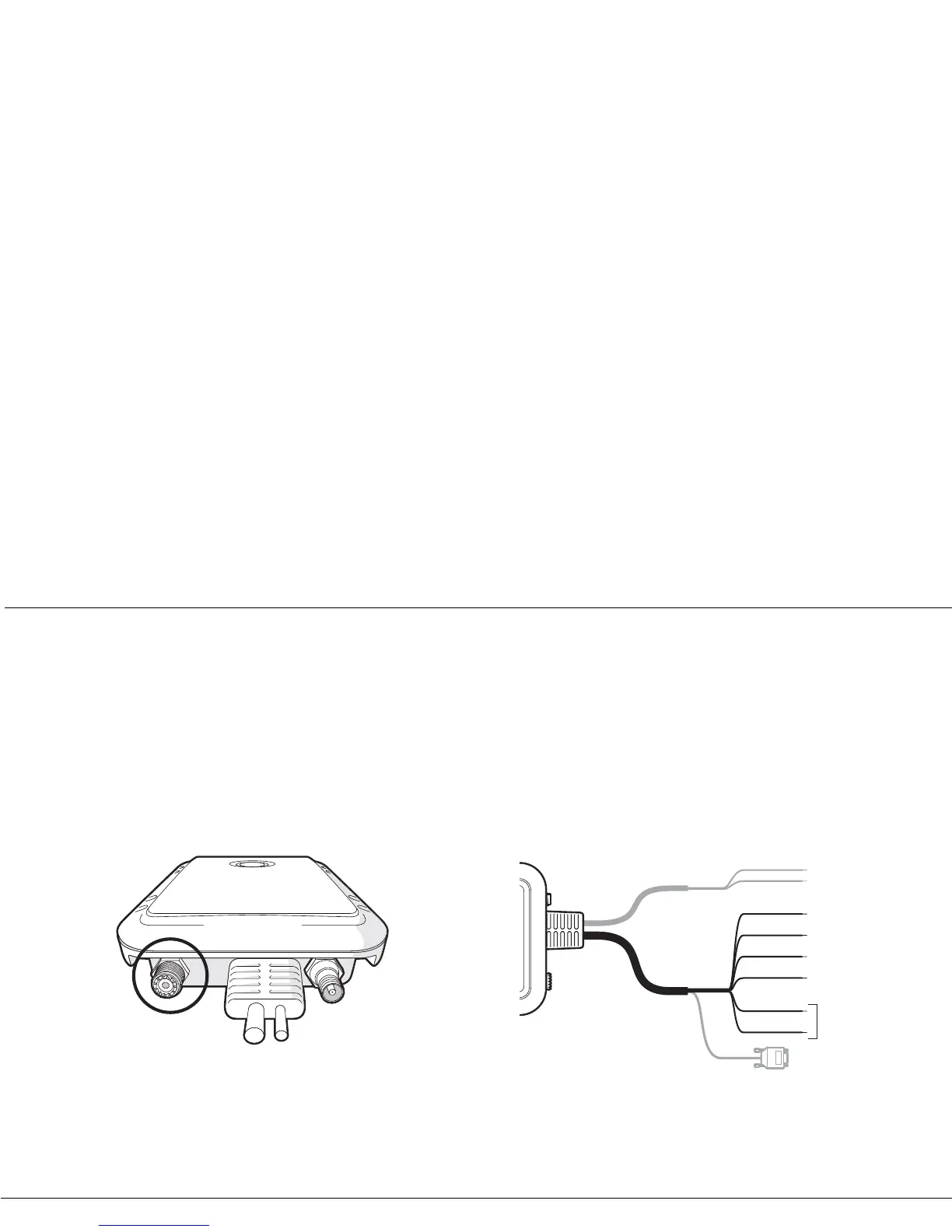
Route the cable from the VHF antenna to the Mariner X2 and
connect to the VHF connector on the Mariner X2 as shown in Figure
9.
A standard marine band VHF antenna or AIS antenna should be
us
ed with the Mariner X2. The connector type on the Mariner X2 is
SO239. Your chosen VHF antenna requires a PL259 connector to
mate with this. If your VHF antenna does not use this type of
connector please contact your dealer for details of available
adaptors.
Figure 9 Position of the VHF antenna connector
Step 4 - Connecting an external switch
If you require a remote external switch to activate the silent mode
feature, it is possible to connect a toggle switch to the Mariner X2
and configure the switch function accordingly.
Connect the toggle switch between the orange and blue wires as
s
hown in Figure 10 and configure the switch function in proAIS to
'Make switch to disable transmitter'. For more details on how to do
this please refer to section 4.4.
Connection of an external switch to toggle silent mode is optional
an
d not essential for normal operation of the product.
Figure 10 Connecting an external switch


 To Next Page