About your AIS class B transceiver
Page 5
2.4 What's in the box?
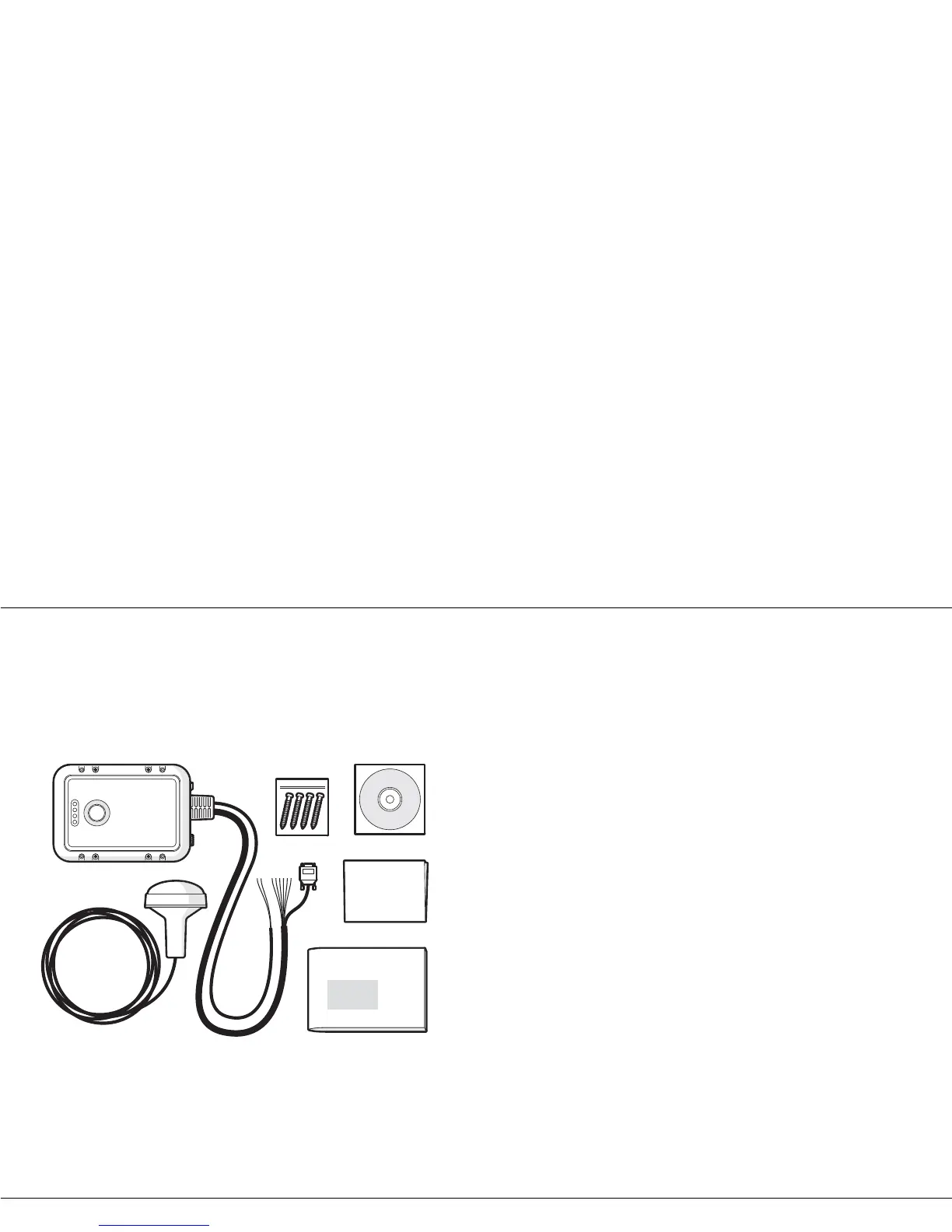
Figure 1 shows the items included with your Mariner X2 purchase.
The following sections give a brief overview of each item. Please
e
nsure all items are present and if any of the items are not present
contact your dealer.
Figure 1 Items included in the product
• Support tools CD
The CD supplied with the package contains the proAIS software tool
n
ecessary to configure the Mariner X2. Please refer to section 4 for
details of the configuration process and how to use the proAIS tool.
• Quick start guide
The quick start guide gives a handy one page reference for the
i
nstallation process.
• Product manual
This document is the product manual and should be read thoroughly
p
rior to any attempt to install or use the Mariner X2.
• GPS antenna
The GPS antenna forms an integral part of the product's internal
p
ositioning system based on GPS. Please refer to section 3.2 for
details of how to install the GPS antenna.
•Fixing screws
Four fixing screws are provided with the product for mounting of the
M
ariner X2. Please refer to section 3.2 for details of how to mount
the Mariner X2.
• Mariner X2 unit
Figure 2 shows an overview of the Mariner X2 unit.
The Mariner X2 has a number of indicators which provide
i
nformation to the user about the status of the Mariner X2. Please
refer to section 5.4 for more details of indicator functions.
The Mariner X2 has a single switch which can be configured to
p
rovide certain functions as defined in section 5.2.


 To Next Page