ORIGINAL INSTRUCTIONS | Ref. quality process 002/03 | v. 12/07/2016 | K06307
16
10. CONFIGURATION
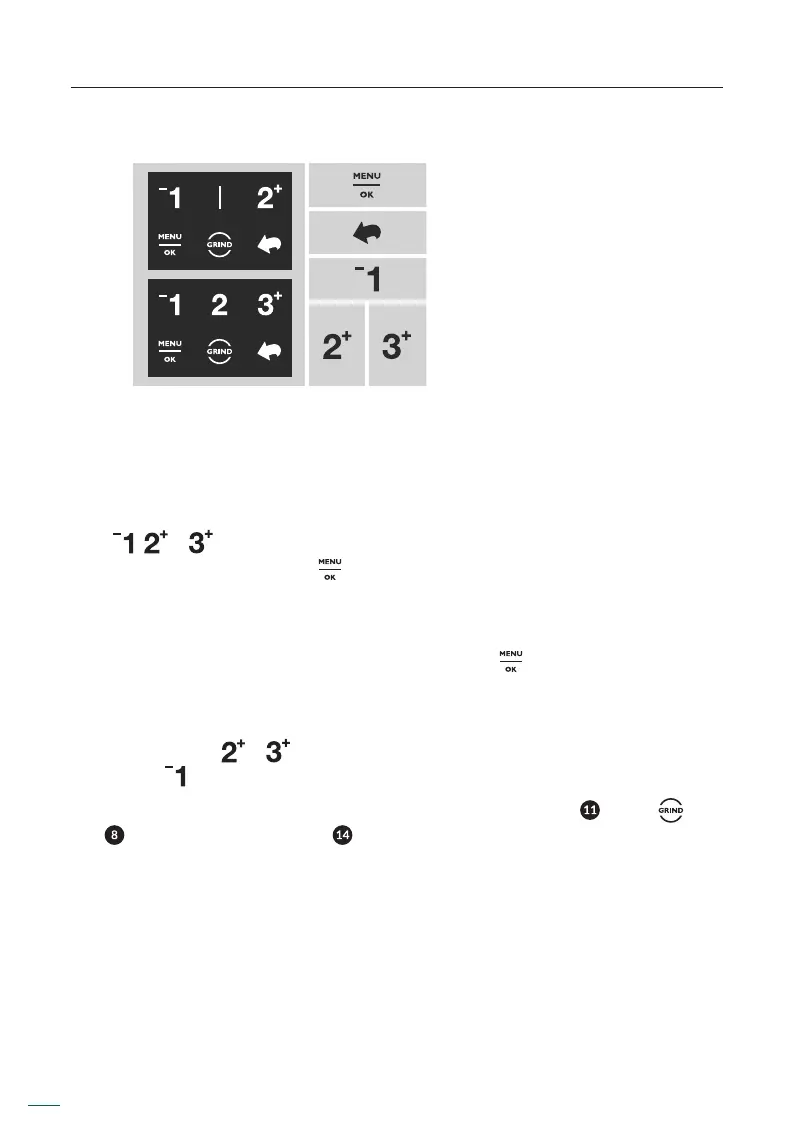
10.1. Display icon guide
Access to menu.
Value or selection aproval.
Return.
Up shift in menu.
Decrease value.
Down shift in menu.
Increase value.
10.2. Grind time congurations
The grind times can be congured for the Automatic, Preselect and Instant modes.
When modifying in one of three modes are updated for all modes simultaneously.
To modify the time of one dose, press the time of the respective dose numerical
icon ( , or ) on the touch screen twice (double tap), followed immediately (2
seconds or less) by pressing the button.
You can also change the time of a dose accessing MENU / SET UP SETTINGS / SET UP
TIME / TIME DOSE 1, 2, 3*.
Automatically the icon of the desired dose icon and the icon will change to active
color and the four time numbers will then begin to ash.
There are two ways to modify the time:
• Press the icons or on the LCD screen and the time will increase, and press
the icon to decrease the time.
• Also, the time can be changed by using the lower dose button ( ) or the icon
( ) found on the LCD screen ( ). If any of these options are pressed, the grinder
will begin to run and the time, starting at zero, will increase until the chosen
button is released.
* Available only for the 3 dose software option.


 To Next Page