Compaq.com - Compaq Presario Maintenance and Service Guide - 5200 Series
United States December 10, 2002
Maintenance and Service Guide
Compaq Presario 5000, 5100, and 5200 Series Computers
MSG index Product Description Troubleshooting Illustrated Parts Catalog
Home Removal & Replacement Jumper & Switch Information Specifications
Clearing CMOS
Power-On Self
Test (POST)
Configuration
Diagnostic
error codes
Troubleshooting
without
diagnostics
l
TROUBLESHOOTING
Diagnostic Error Codes
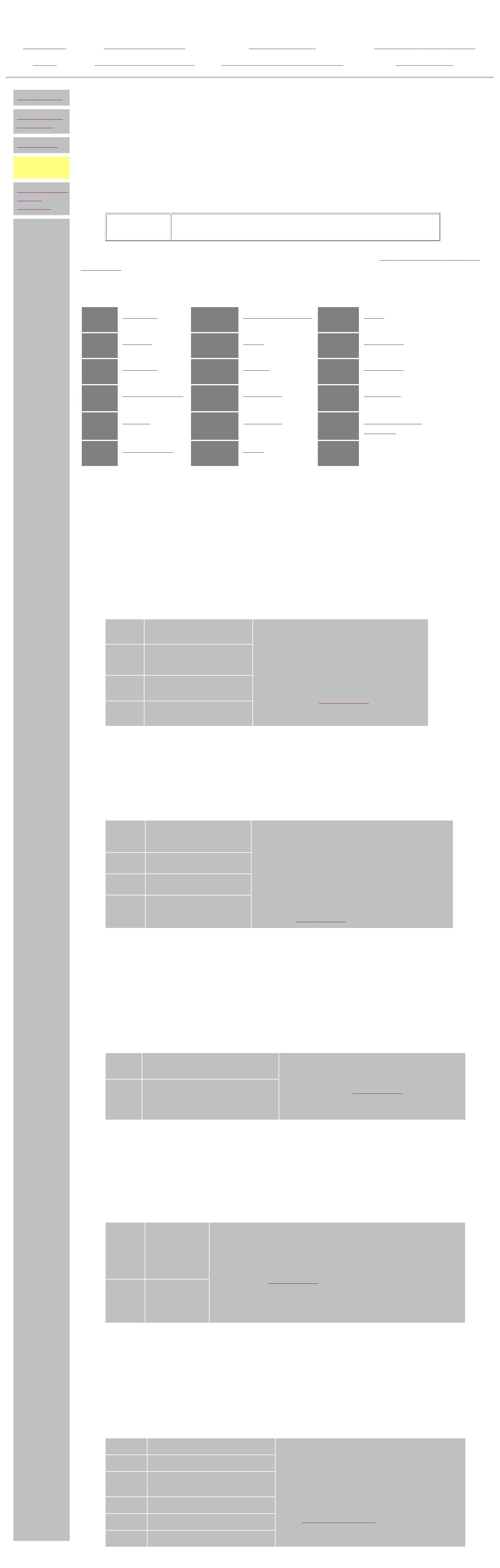
Diagnostic error codes occur if the system recognizes a problem while running the Compaq Utilities program.
These error codes help identify possibly defective subassemblies.
Tables listed on this page give possible error codes, descriptions of each error condition, and actions required
to resolve the error condition.
IMPORTANT: Retest the system after completing each step. If the problem has
been resolved, do not proceed with the remaining steps.
For assistance in the removal and replacement of a particular subassembly, see
Removal and Replacement
Procedures.
100-
xx
Processor
800-xx
Monochrome video
3200-
xx
Audio
200-
xx
Memory
1100-xx
Serial
3300-
xx
CD or DVD
300-
xx
Keyboard
1200-xx
Modem
6600-
xx
CD or DVD
400-
xx
Parallel (printer)
1700-xx
Hard drive
656-xxx
SuperDisk (available on
select models)
500-
xx
Monitor
1900-
xx
Tape drive
8600-
xx
Pointing device
interface
600-
xx
Diskette drive
2400-xx
Video
Keyboard error codes
Error
Code
Description Recommended Action
301-xx
Keyboard short test, 8042
self-test failed
The following steps apply to error codes 301-
xx through 304-xx:
1 Check the keyboard connection. If
disconnected, turn the computer off
and connect the keyboard.
2 Replace the keyboard and retest.
3 Replace the
system board and retest.
302-xx
Keyboard long test failed
303-xx
Keyboard LED test, 8042
self-test failed
304-xx
Keyboard typematic test
failed
Parallel (printer) error codes
Error
Code
Description Recommended Action
401-xx
Printer failed or not
connected
The following steps apply to error codes 401-xx
through 498-xx:
1 Connect the printer.
2 Check power to the printer.
3 Install the loop-back connector and retest.
4 Replace
system board and retest.
402-xx
Printer data register failed
403-xx
Printer pattern test failed
498-xx
Printer failed or not
connected
Monochrome video error codes
Error
Code
Description Recommended Action
802-xx
Video memory test failed The following step applies to error codes 802-xx
through 824-xx:
Replace the
system board and
retest.
824-xx
Monochrome video text mode test
failed
Serial error codes
Error
Code
Description Recommended Action
1101-
xx
Serial Port
Test
The following steps apply to error codes 1101-xx through 1109-xx:
1 Check the switch settings on the serial/parallel device, if
applicable.
2 Replace the
system board and retest.
1109-
xx
Clock Register
Test
Modem error codes
Error
Code
Description Recommended Action
1201-xx
Modem Internal Loop-Back Test The following steps apply to error codes 1201-xx
through 1210-xx:
1 Refer to modem documentation for
correct Setup procedures.
2 Check the modem line.
3
Replace the modem and retest.
1202-xx
Modem Time-Out Error
1203-xx
Modem External Termination
Test
1204-xx
Modem Auto Originate Test
1206-xx
Dial Multifrequency Tone Test
1210-xx
Modem Direct Connect Test
privacy statement
legal notices
http://h18000.www1.hp.com/athome/support/msgs/5000/diags.html [12/10/2002 9:29:09 AM]


 To Next Page
 Loading...