4.10 Print Test
4.10.1 Print Self-Test
The self-test checks the printer’s current settings, status and whether the printer has any problem.
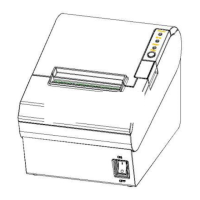
1.Make sure the power switch is on;.
2.Pressing the [Feed] button until the green LED indicator flash once. The printer is ready to receive
data as soon as it completes the self-test.
4.10.2 Printing of Windows Driver Program
1. Install the Windows Driver program. (Please refer to the Windows Driver Manual)
2. Please set the “Interface” as the type you use.
3. Use the Windows Driver Program to print out the “Self-test page”.
4.11 Bluetooth
PDA with Bluetooth interface, laptop and other information terminals can drive the mobile thermal
printer VLINE80-2. Instructions as follows:
2) Primary device search for outer Bluetooth devices.
If there are some outer Bluetooth devices, choose “VLINE80-2”.
Connected to VLINE80-2.
Notes:
In pairing, the printer must be turned on.
when pairing, do not set many printers on, otherwise it can‘t figure out which one succeeds in
pairing.
Printer can only connect one primary device each time.After successful pairing,printer can’t be
connected with other primary device.If it need to connect other device,it should disconnect the
connection with the former primary device.


 To Next Page