Specification of some part elements
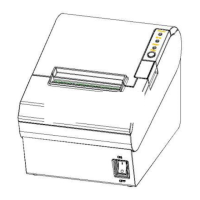
Press “0” to turn off power and press “1” to turn on power supply.
Feed paper:When it’s not in the alarm status,push the button to feed paper.Push the button
continuously to feed the long distance.
It indicate the power status.
It detect the status of paper,such as paper near end and paper end.See more details in”3.2
Specification of Indicated light and beeper”.
If there is abnormal phenomenon and error LED flashing,it means the printer is in the wrong
status.Please turn off the power immediately.
In paper storehouse,paper guide can change the position to adapt to different paper width.
①
VLINE80-2 storehouse has 4 paper guide slot.paper guide slot 1/4 adapt to
80
−
+
1
0
mm/ 58
−
+
1
0
mm print
paper respectively.
Warnings:
Paper guide is essential to adjusting the paper width.Please keep it properly. And the paper guide
is un-taken during printing in case of print offset.


 To Next Page