EasyManua.ls Logo

CompuSTAR 2W901R-SS - User Manual

CompuSTAR 2W901R-SS
66 pages
Print Icon
To Next Page IconTo Next Page
Loading...
FCC
This device complies with part 15 of the FCC Rules. Operation is subject to the following two conditions:
(1) This device may not cause harmful interference, and
(2) this device must accept any interference received, including interference that may cause undesired operation.
IC
This device complies with Industry Canada licence-exempt RSS standard(s). Operation is subject to the following two conditions:
(1) this device may not cause interference, and
(2) this device must accept any interference, including interference that may cause undesired operation of the device.
Le présent appareil est conforme aux CNR d'Industrie Canada applicables aux appareils radio exempts de licence.
L'exploitation est autorisée aux deux conditions suivantes :
(1) l'appareil ne doit pas produire de brouillage, et
(2) l'utilisateur de l'appareil doit accepter tout brouillage radioélectrique subi, même si le brouillage est susceptible d'en
compromettre le fonctionnement.
XSPXuclPPPPPPPP

Other manuals for CompuSTAR 2W901R-SS

Question and Answer IconNeed help?

Do you have a question about the CompuSTAR 2W901R-SS and is the answer not in the manual?

CompuSTAR 2W901R-SS Specifications

General IconGeneral
Remote StartYes
Keyless EntryYes
LCD DisplayNo
Temperature DisplayNo
Trunk ReleaseYes
Panic ModeYes
Valet ModeYes
Smartphone ControlNo
Operating RangeUp to 3000 feet
RangeUp to 3000 feet

Summary

Users Guide

Quick Reference

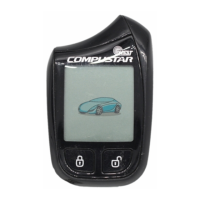
2 Way Remote Button Functions

Detailed explanation of functions for each button on the 2 Way remote.

Function Button Menu

Shows features activated by the Function button with other remote buttons.

1 Way Remote Button Functions

Details functions for each button on the 1 Way companion remote.

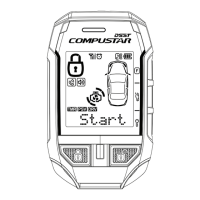
Remote LCD (liquid crystal display) Diagram and icons

Starter Icons

Icons related to remote start functions like engine running and start availability.

Alarm Icons

Icons indicating alarm triggers such as door, trunk, hood, and shock sensor events.

Advanced Icons

Icons for advanced features like Passive Mode, Drive Lock, and Car Call.

General System Functions

Active Lock;Arm and Unlock;Disarm

How to lock/arm and unlock/disarm the vehicle and alarm system.

Automatic Transmission Remote start Function

Procedure for remote starting a vehicle with an automatic transmission.

Manual Transmission Remote Start Function (Reservation Mode)

Steps to set Reservation Mode for safely remote starting a manual transmission vehicle.

Advanced System Functions

RPS Touch (Remote Paging Sensor) Unlock;Disarm

How to program and use the 4-digit passcode for RPS Touch unlock/disarm.

Timer Start Mode

How to set a specific time for the vehicle to start automatically.

Alarm LCD Notifications

Remote Coding; Programming Routine

Programming 2 Way 5 Button Remotes

Step-by-step guide to coding 2 Way 5 Button remotes to the system.

Remote Start Error Diagnostic

Table of parking light flash counts indicating remote start errors.

Alarm Diagnostic

Related product manuals