Need help?
Do you have a question about the CompuSTAR 2WT13R-SF and is the answer not in the manual?
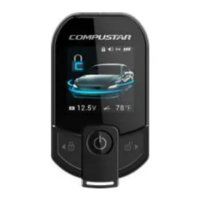
Hold button for 4 seconds to power up the remote.
Tap button once to lock and/or arm the system.
Tap button once to unlock and/or disarm the system.
Double tap to activate AUX 1 output when 'Secure AUX mode' is disabled.
Double tap to activate AUX 2 output when 'Secure AUX mode' is disabled.
Hold button for 5 seconds to activate 'panic' or 'vehicle locator' feature.
Hold button for 2.5 seconds to activate rear hatch/trunk release.
Tap to wake remote; tap again to update system status.
Tap button once to temporarily disable Secure AUX mode.
Hold button for 2.5 seconds to activate or cancel the remote start sequence.
While vehicle is remote started, double tap to restart runtime.
Double tap to enter remote user option menu.
While in user options, hold for 2.5 seconds to exit.
This feature allows you to select a different vehicle image for the remote LCD display.
This feature will allow the volume of the remote chime to be adjusted at 3 levels.
Enables/disables FULL Alarm or Alarm Remote Start mode allowing the remote to receive alarm trigger alerts.
This feature will allow the LCD screen brightness to be adjusted by 3 levels.
This feature enables/disables Valet mode. To enable to Valet mode using T-13, vehicle ignition/key must be in the on position.
This feature will allow the screen timeout to be adjusted between 4 and 8 seconds.
These features allow AUX 1/2 to be displayed as optional functions, or turned off.
This feature will allow Drive lock/ignition controlled Door locks to be enabled/disabled.
This feature allows the language of the remote to be changed.
When 2nd car mode is enabled, this remote can be programmed to control a 2nd vehicle.
This feature will allow the remote to display vehicle internal temperature.
This feature allows the user to disable the horn/siren output.
This will display the remote serial number for identification.
This will enable/disable the shock sensor.
This feature will power down the remote LCD.
This will enable/disable the proximity unlock feature.
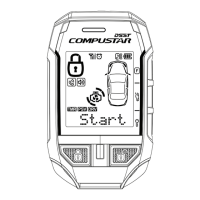
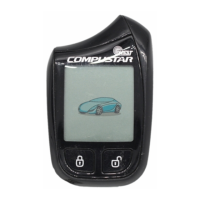
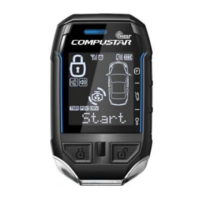
The Compustar 2WT13R-SF is a remote control device designed for vehicle security and remote start systems. This quick start guide provides essential information for its operation, maintenance, and user-configurable features.
The 2WT13R-SF remote serves as the primary interface for controlling a vehicle's Compustar security and remote start system. It enables users to lock/arm, unlock/disarm, remote start/stop the engine, open the rear hatch/trunk, activate panic/vehicle locator features, and configure various system settings. The remote features an LCD display that provides visual feedback on the vehicle's status, including battery voltage and interior temperature. It also supports optional AUX outputs for controlling additional vehicle functions.
 General
| Brand | CompuSTAR |
|---|---|
| Model | 2WT13R-SF |
| Category | Remote Starter |
| Language | English |

 To Next Page