EasyManua.ls Logo

CompuSTAR 2WSSR-T11 - User Manual

CompuSTAR 2WSSR-T11
7 pages
Print Icon
To Next Page IconTo Next Page
Loading...
QUICK START CARD
2WSSR-T11
Firstech, LLC. | 1
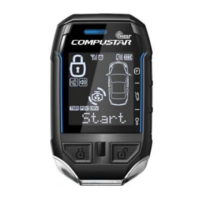
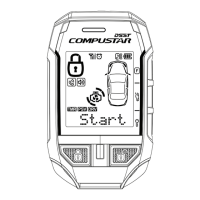
A tap of this button will lock your doors and/or arm your Compustar alarm.
A tap of this button will unlock your doors and/or disarm your Compustar alarm.
Holding this button for 2.5 seconds will pop your trunk, if equipped. If not, ask
your Compustar Dealer for details on how to get it. Double tap to view the clock.
Holding this button for 2.5 seconds will start your vehicle. The 2WT11R-SS
will receive a page back alert and run time countdown timer will start. Run
Time Extension: If enabled, double tapping this button will reset your remote
start run time or turbo timer.
Tapping these two buttons will mute and unmute the siren on your Compustar
alarm. Holding them for 2.5 seconds will turn the Shock Sensor on or off.
Function Button: This button is used to access advanced remote
functions. Please see the following table for more info.
Wake/Mute Button: Tap this button to wake the screen. Hold this button for 2
seconds to mute y
our remote. Hold for 2 seconds to unmute. If enabled, tap
this button to enable sliding doors via Auxiliary 1 and 2 then double tap Lock
or Unlock to activate.
Rechargeable Battery: Your 2WT11R-SS
is equipped with a rechargeable battery.
Use the included USB cable to charge
your remote. We recommend charging
your remote before first use. Charge
time is approximately 2 hours.
Register online at www.compustar.com
within 10 days of purchase to activate
your new remote’s warranty.
Then
Press
2.5 Sec 2.5 Sec
1 x
Drive Lock
On/Off
Turbo Timer
On/Off
Auxiliary 1 Auxiliary 2 Auxiliary 3 Auxiliary 4
2 x
2nd Car
On/Off
Timer Start
On/Off
Auxiliary 5 Auxiliary 6 Auxiliary 7
3 x
Valet Mode
On/Off
Passive Mode
On/Off
FUNCTION BUTTON TABLE
Question and Answer IconNeed help?

Do you have a question about the CompuSTAR 2WSSR-T11 and is the answer not in the manual?

CompuSTAR 2WSSR-T11 Specifications

General IconGeneral
Type2-Way Remote Starter
Number of Buttons5
LCD DisplayYes
Remote StartYes
Keyless EntryYes
Range3000 feet
Transmitter2-Way
FeaturesRemote Start, Keyless Entry, Trunk Release
CompatibilityMost Vehicles
Battery LifeUp to 1 Year

Summary

Remote Control Functions

Lock and Unlock Doors

Tap the button to lock/unlock doors and arm/disarm your Compustar.

Trunk Operation

Hold button for 2.5 seconds to pop the trunk, if equipped.

Remote Start and Timer Functions

Hold 2.5 seconds to start vehicle; double tap to reset remote start timer.

Mute;Unmute and Shock Sensor Control

Tap two buttons to mute/unmute or enable/disable shock sensor.

Wake and Mute Screen Function

Tap button to wake screen; hold 2 seconds to mute.

Remote Option Menu and Settings

Accessing and Navigating Menus

Enter the Remote Option Menu and move through options using specific button presses.

Setting Time and Clock

Set the time, remote start time, and alarm clock time on your remote.

Alarm and Notification Configuration

Configure alarm settings, RPS call, and silent mode.

Volume and Temperature Display

Adjust remote volume and select temperature units (F or C).

Auxiliary, Door, and Paging Features

Control auxiliary functions, sliding doors, and 2-way paging.

Display Timeout and Language

Adjust screen timeout and change display language (English/French/Spanish).

Important Safety Warnings

Vehicle Parking and Gearshift Safety

Ensure vehicle is in 'Park' and cannot start in 'Drive' to avoid accidents.

Servicing Safety Precautions

Disable remote starter or use valet mode before servicing the vehicle.

Compliance Information

FCC Compliance Statement

Device complies with FCC Part 15, subject to interference conditions.

IC Compliance Statement

Device complies with Industry Canada licence-exempt RSS standards.

Related product manuals