Re‐FlashingYourCDM‐570A/570ALSatelliteModem 12 FLG‐CDM570ARevision1
A. Usingthemodemfrontpanelmenus:
First,toselectthedesiredBootImage,makesurethatyouareoperatinginLOCALmode
(CONFIG:RemoteLocal).
FortheBaseModemfirmwareimage,gototheSELECT:UtilitiesFirmwareSelect
menubranchandusethe
▲▼ arrowkeystoselecttheNextRebootImageas1or2.Press
thefrontpanelENTERkeywhendone.
B. UsingtheCDM‐570AHTTPInterface:
FortheBaseModemfirmware,gotothe‘Admin| Firmware|Modem’page.Usethe‘Next
Reboot,willuse
’drop‐downlisttoselectLatest,Image#1orImage#2.Click[Submit]to
save.
FortheIPPacketProcessorfirmware,gotothe‘Admin|Firmware|PacketProcessor’
page.Usethe‘BootFrom’drop‐downlisttoselectLatest,Image#1orImage#2.Click
[Submit]
tosave.
7)
ReboottheCDM‐570A/L.Youmayperforma‘softreboot’ora‘hardreboot’asfollows:
Forasoftreboot,usetheCDM‐570AHTTPInterface‘Admin|Reboot’page.Click[Reboot
Now].Boththewebpageandthemodemfrontpanelwilldisplaymessagessimilarto
“Rebooting, Please wait...”asrebootcommences.
Forahardreboot,fromCDM‐570A/Lrearpanel,turnoffor
otherwisedisconnect,andthen
turnon/reconnectthepowersourcetoexecuterebootofthemodem.
Thesystemrebootiscompleteoncethemodemfrontpaneldisplaysthetop‐level“splash”
screen:
Comtech CDM-570AL Modem
Firmware Version: #.#.#
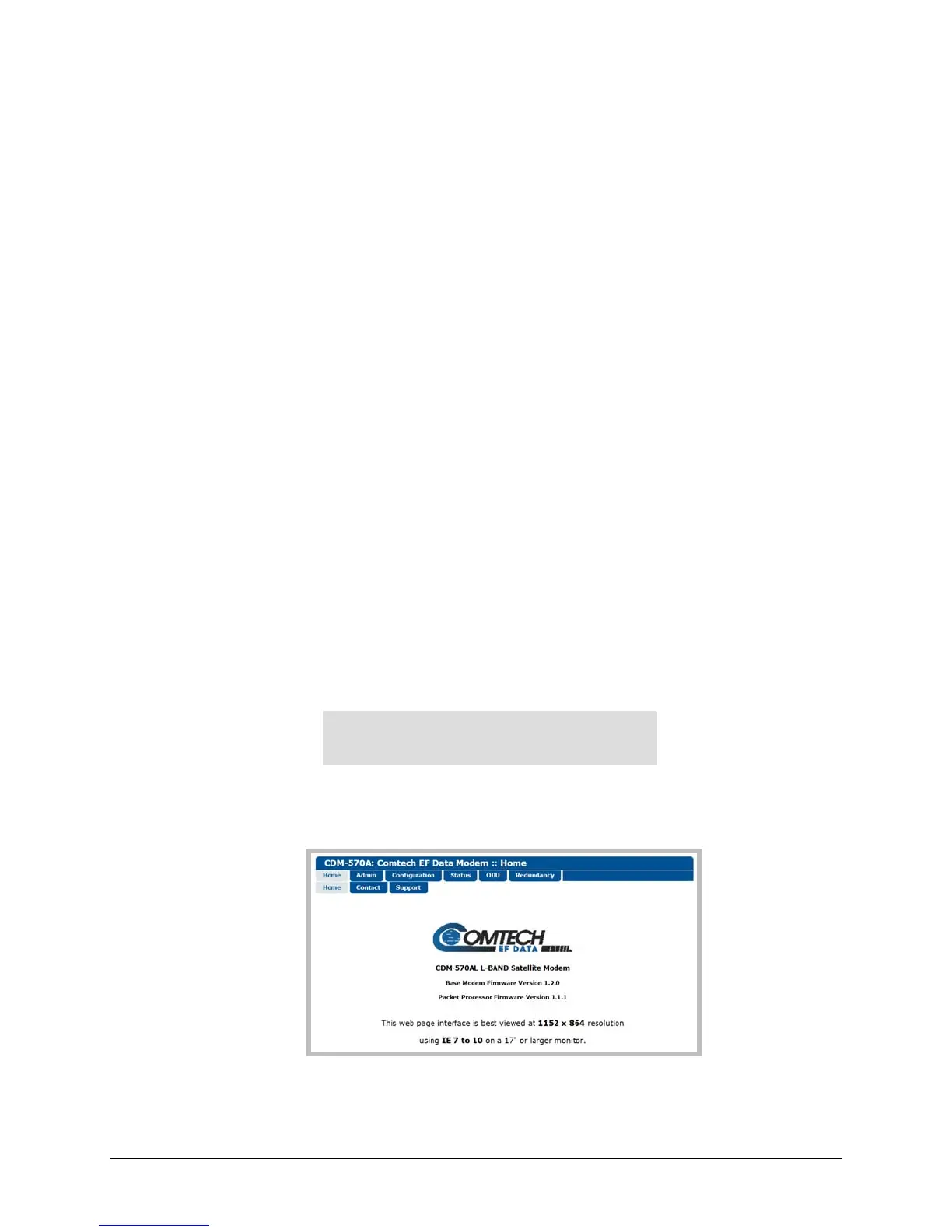
YouwillneedtologintoanewWebsessionatthistime.TheCDM‐570AHTTPInterface‘Home’
pagewillservetoverifythatthenewfirmwareversionisactive,asshowninthisexample:
TheCDM‐570A/Lisnowoperatingwithitslatestfirmware.Thefirmwareupdateprocessis
nowcomplete.



 To Previous Page