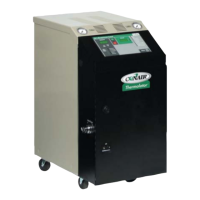
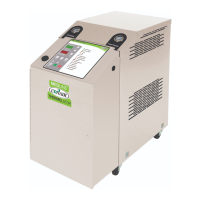
UGH025-0504 Thermolator TW Series
TABLE OF
CONTENTS
INTRODUCTION . . . . . . . . . . . . . . . . . . . .1-1
Purpose of the User Guide . . . . . . . . . . . . . . . . . . . . . . . . . .1-2
How the Guide is Organized . . . . . . . . . . . . . . . . . . . . . . . .1-2
Your Responsibility as a User . . . . . . . . . . . . . . . . . . . . . . . .1-2
ATTENTION: Read this so no one gets hurt . . . . . . . . . . . .1-3
DESCRIPTION . . . . . . . . . . . . . . . . . . . . .2-1
What is the Thermolator? . . . . . . . . . . . . . . . . . . . . . . . . . . .2-2
Typical Applications . . . . . . . . . . . . . . . . . . . . . . . . . . . . . . .2-2
How it Works: Direct Injection . . . . . . . . . . . . . . . . . . . . . . .2-3
How it Works: Closed Circuit . . . . . . . . . . . . . . . . . . . . . . .2-4
How it Works: Isolated Circuit . . . . . . . . . . . . . . . . . . . . . . .2-5
Specifications . . . . . . . . . . . . . . . . . . . . . . . . . . . . . . . . . . . .2-6
Features and Options . . . . . . . . . . . . . . . . . . . . . . . . . . . . . .2-8
INSTALLATION . . . . . . . . . . . . . . . . . . . . .3-1
Unpacking the Boxes . . . . . . . . . . . . . . . . . . . . . . . . . . . . . .3-2
Preparing for Installation . . . . . . . . . . . . . . . . . . . . . . . . . . .3-3
Connecting Process and Water Supply Lines . . . . . . . . . . . .3-4
Purge Valve Hookups . . . . . . . . . . . . . . . . . . . . . . . . . . . . . .3-5
Connecting the Main Power Supply . . . . . . . . . . . . . . . . . . .3-6
Testing the Installation TW Control . . . . . . . . . . . . . . . . . . .3-7
Testing the Installation TW-1, TW-2 Control . . . . . . . . . . . .3-8
TW Control Initial Setup . . . . . . . . . . . . . . . . . . . . . . . . . . .3-9
TW Control Changing Temperature Units . . . . . . . . . . . . .3-10
TW-1, TW-2 Control Initial Setup . . . . . . . . . . . . . . . . . . .3-11
TW-1, TW-2 Control Changing Temperature Units . . . . . .3-12
TW-1, TW-2 Control Passcode Protection . . . . . . . . . . . . .3-13
TW-2 Control Selecting the Temperature Control Point . .3-15
TW-1, TW-2 Control Entering Temperature
Deviation Alarm Parameters . . . . . . . . . . . . . . . . . . . . . .3-17
TW-2 Control Installing the Auto Start Feature . . . . . . . . .3-18
Positioning the TW-2 Control Panel . . . . . . . . . . . . . . . . . .3-20
OPERATION . . . . . . . . . . . . . . . . . . . . . . .4-1
TW Control Features . . . . . . . . . . . . . . . . . . . . . . . . . . . . . .4-2
TW Control Menu . . . . . . . . . . . . . . . . . . . . . . . . . . . . . . . . .4-3
TW-1 Control Features . . . . . . . . . . . . . . . . . . . . . . . . . . . . .4-4
TW-2 Control Features . . . . . . . . . . . . . . . . . . . . . . . . . . . . .4-5
Starting the TW . . . . . . . . . . . . . . . . . . . . . . . . . . . . . . . . . .4-6
Stopping the TW . . . . . . . . . . . . . . . . . . . . . . . . . . . . . . . . . .4-7
Starting the TW-1, TW-2 . . . . . . . . . . . . . . . . . . . . . . . . . . .4-8
Stopping the TW-2, TW-2 . . . . . . . . . . . . . . . . . . . . . . . . . .4-9
Using the TW Purge Option . . . . . . . . . . . . . . . . . . . . . . . .4-10
Using the TW-1 Purge Option . . . . . . . . . . . . . . . . . . . . . .4-11
Using the TW-2 Purge Option . . . . . . . . . . . . . . . . . . . . . .4-12
i


 To Next Page
 Loading...