IP HIGH SPEED DOME SERIES QUICK START GUIDE
5
CONNECTING VIA INTERNET EXPLORER
How to connect and operate the camera via IE
1
Login Information
Default IP Address:
http://192.168.12.100
User Name: admin
Password: admin
This product supports Internet
Explorer 8 and higher.
Please login
Language:
Uusername:
Password:
English
Login Clear
Please downlosd plug-inDownlosd
2
Download Plug-in
Click “Download” to download plug-in.
Please refer to the user manual page 15-16 for additional details.
Note: If the plug-in could not be successfully installed, one possibility
is that the operating system and the browser are not compatible. For
example, if the operation system is 64 bits, but the browser is 32 bits, then
the 32-bit plug-in will need to be installed.
4
CONFIGURING THE CAMERA
Camera Connections
3. SET SWITCHES
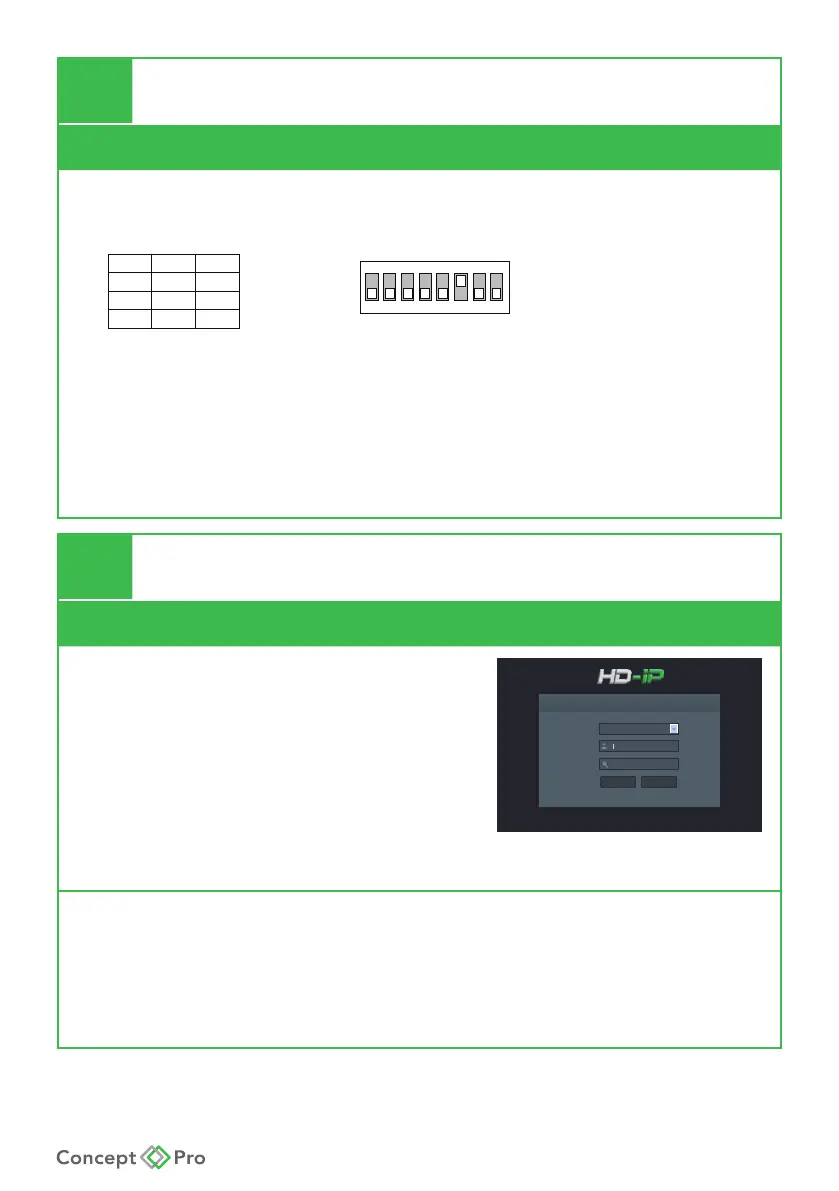
DIP No. 1 and 2 congures the baud rate as follows:
1 2 3 4 5 6 7 8
ON
OFF
ON
OFF
Factory default
switch positions
N O.1
OFF
OFF
ON
N O.2
2400
4800
9600
Rat e
Switch No. 5:
ON: NTSC OFF: PAL
Switch No. 6:
ON: 30FPS (Default)
Switch No. 7: Not Used
Switch No. 8:
RS485 matching resistance switch (120Ω). Default setting is OFF.










 To Next Page