IP HIGH SPEED DOME SERIES QUICK START GUIDE
5
HOW TO OPERATE ON IE WEB PAGE
How to connect and operate the camera via IE
3
Changing
Camera
Settings
• Using the cameras web browser it
is possible to congure the IP PTZ
camera with ease. From changing
stream settings to adjusting the
image settings or even applying pri-
vacy masks using the click and drag
function. All the network settings
associated with a network camera
for example; sending emails, taking
snapshots of live images, device
information, IP settings, rmware
version, and maintenance options
can be congured.
• When applying settings to the CP-
HSD10/20/30-IP, only use the web
browser for conguring image qual-
ity settings and any other settings
within the camera options. While
the IP camera supports RS485 with
access to the OSD menu (via preset
95), when editing the camera from
the OSD menu the settings may not
change, therefore synchronisation is
not possible using the web browser.
However, when changes are made
from the web browser these are
synchronised to the OSD menu.
I
P
Camera Web Service
Alarm Out
Listen
Talk
Snapshot Record
Streaming
Player Mode
2017 05 15 02:30:26 Tues
PTZ >>
1
Type:
Name:
2 3
4
PTZ
Call
Setup
PTZ
Zoom
+
Focus
+
IRIS
+
1280x1024 7793 Kbps 25 fps
314 / 0 / x0
3D Wipers Light
Exit
View
Strram1
Real time first
R
e
s
t
o
r
e
p
a
no
r
a
m
a
O
r
i
g
i
n
a
l
A
d
a
p
ti
v
e
4
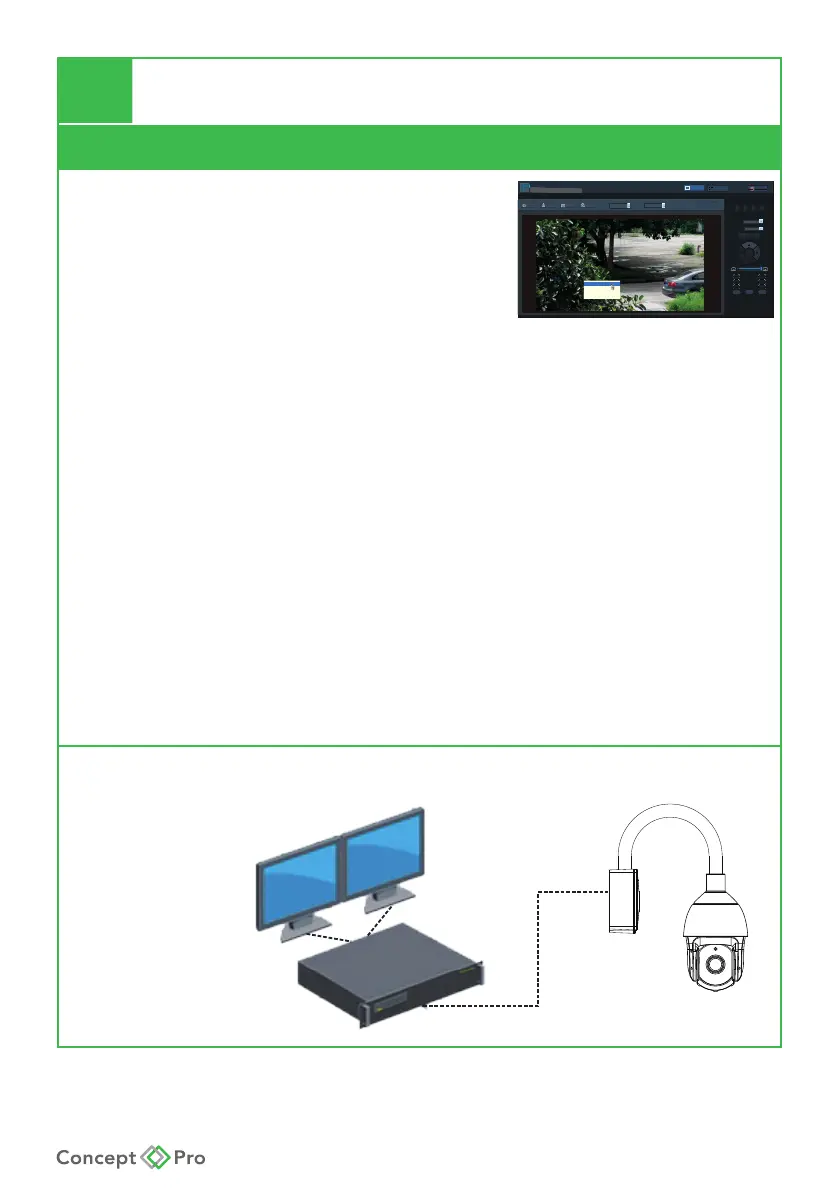
Connect to NVR
To connect this product to an NVR, please make sure the NVR and PTZ
are on the same network segment.
NVR
Monitor










 To Next Page