Network Video Recorder(NVR)
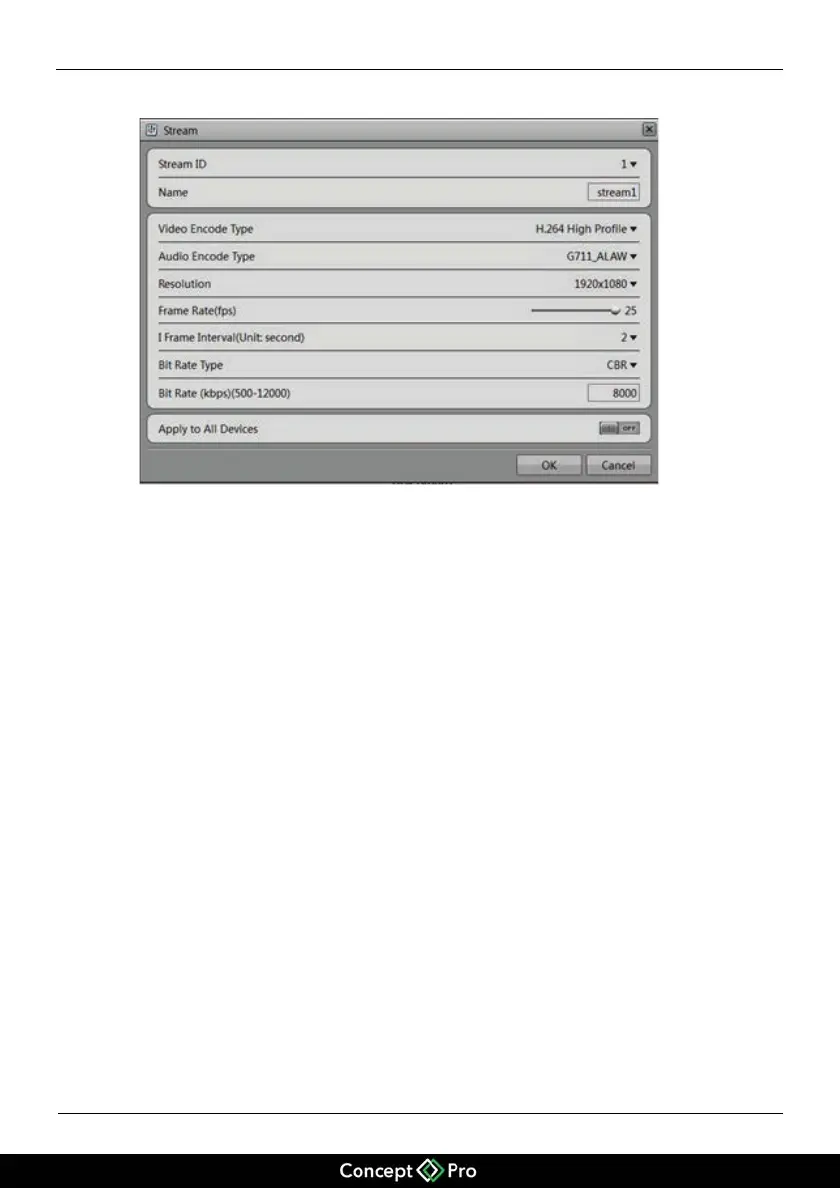
Figure 5-6 Stream dialog box
Set stream parameters, select On for Apply to All Devices, and click Apply. The
parameter settings are applied to all IP cameras that have the same resolution as the
configured resolution.
!
Setting a motion detection alarm
Click the motion detection information to be modified. The Motion Alarm dialog
box is displayed. Set the arming time and detection zone when the motion detection
alarm function is enabled.


 To Next Page