ENGLISH
21
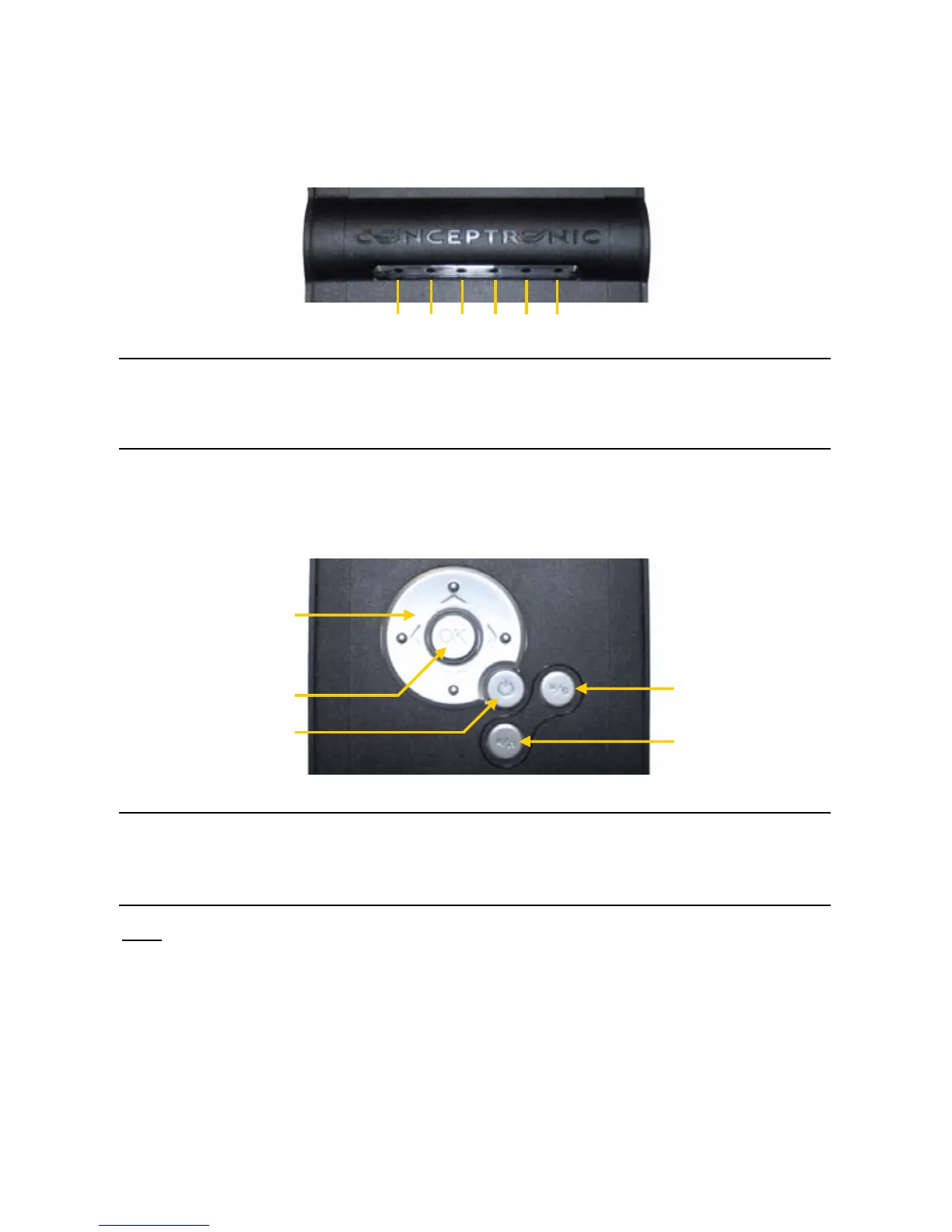
2.2 Status LED’s
The CMED2PRO has various status LED’s to show the current state of the device.
Description of the numbers:
1. Player Mode LED 4. Composite output active LED
2. USB Mode LED 5. YPbPr output active LED
3. HDD Activity LED 6. OTB Activity LED
2.3 Control Buttons
The CMED2PRO has various control buttons to operate the Media Player without a remote control:
Description of the numbers:
1. Navigation Buttons 4. Stop / Music Mode Button (Long-Press for Music Mode)
2. OK / Enter Button 5. Menu /OTB Mode Button (Long-Press for OTB Copy Mode)
3. Power Button
Note: The Button control functions are the same as the Remote Control Functions. Detailed
information about each button of the remote control can be found in chapter 3.
1
2
3
4
5
12345
6



 To Next Page