ENGLISH
30
5.4 File library options
x Use / button to select a file or folder; / (PREV/NEXT) button to page up/page down. If a
photo or a video is selected, its preview and information will be shown on the right hand side of
the TV screen. If a music file is selected, music will start playing while showing its information
on the right of the screen.
x You can press TOP button to move cursor straight to the top of file list and change to another
folder easily.
x Press the
/ ENTER button to enter full screen mode (if playing music files, MUSIC
EQUALIZER screen will appear). Press the
/ STOP button to escape full screen mode.
x Press REPEAT button to select a repeat mode.
x In STOP state, press the OTB button to copy the contents of the inserted Memory Card to the
Harddisk of the CMED2PRO.
6. Setup Menu
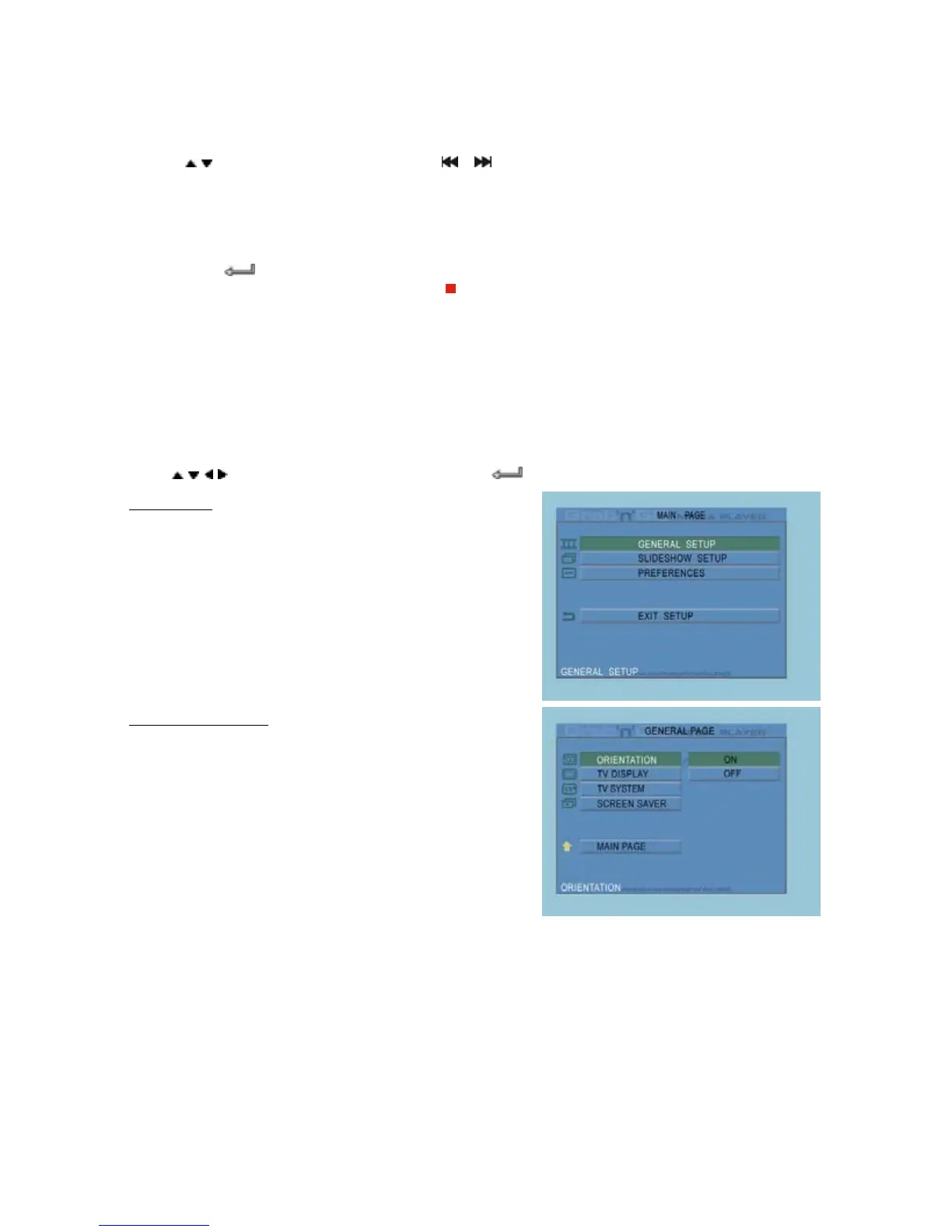
In stop state, press SETUP button to enter the Setup Menu.
Press
/ / / button to move cursor, and press the / ENTER button to confirm your selection.
Setup Menu
General Setup : Open the General Setup.
Slideshow Setup : Open the Slideshow Setup.
Preferences : Open the preferences.
Exit Setup : Close the Setup Menu.
General Setup Page
Orientation : Remember rotation information.
TV Display : Select your type TV display.
TV System : Select your type TV system.
Screen Saver : Turn the screensaver on or off.
Main Page : Return to the Setup Menu.



 To Next Page