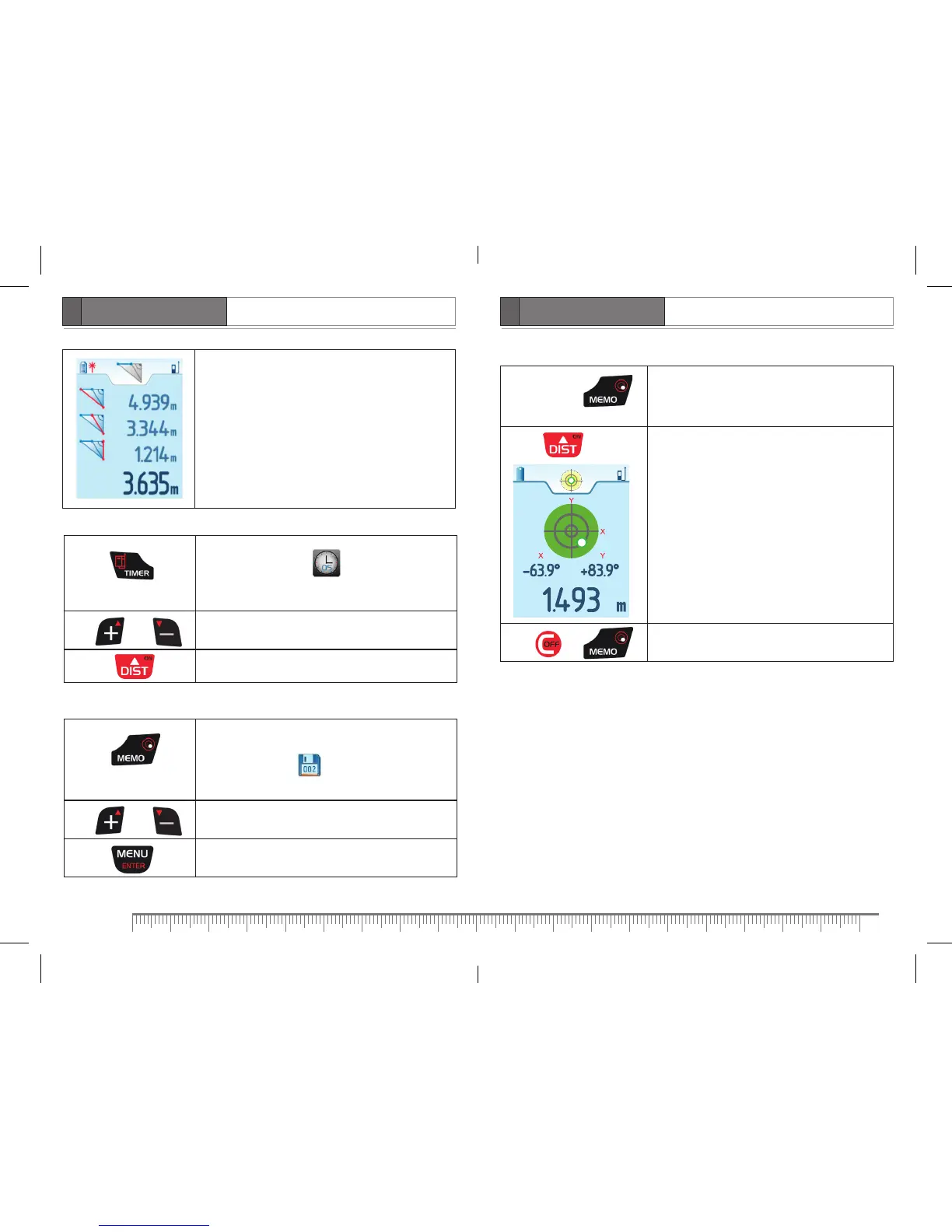
– hypotenuse 1 (measured)
– hypotenuse 2 (measured)
– cathetus (measured)
– cathetus (calculated)
Timer
Press
Activate timer. Symbol appears on the display.
Default value is 5 seconds.
Press or Set response time.
Press Start timer.
Memory
Press
Enter memory. A number of saved measuring results is
reflected on symbol on the display.
Default value is 5 sec.
Press or Flip through saved measuring results.
Press
Scroll down to view additional information about
measurement.
Digital vial
Press
and hold for
1 second
Activate digital vial function
Aim the product in appropriate direction using
angle readings shown on the display.
Press
Take measurement.
– measuring result
Press or Exit the mode.


 To Next Page