C o n e r g y IP G s t r in g in v e r t e r s e r ie s Instruc tio n m anual 2 1
4 C o n e r g y IPG s t r in g v is io n in v e r t e r s e r ie s
ENGLISH
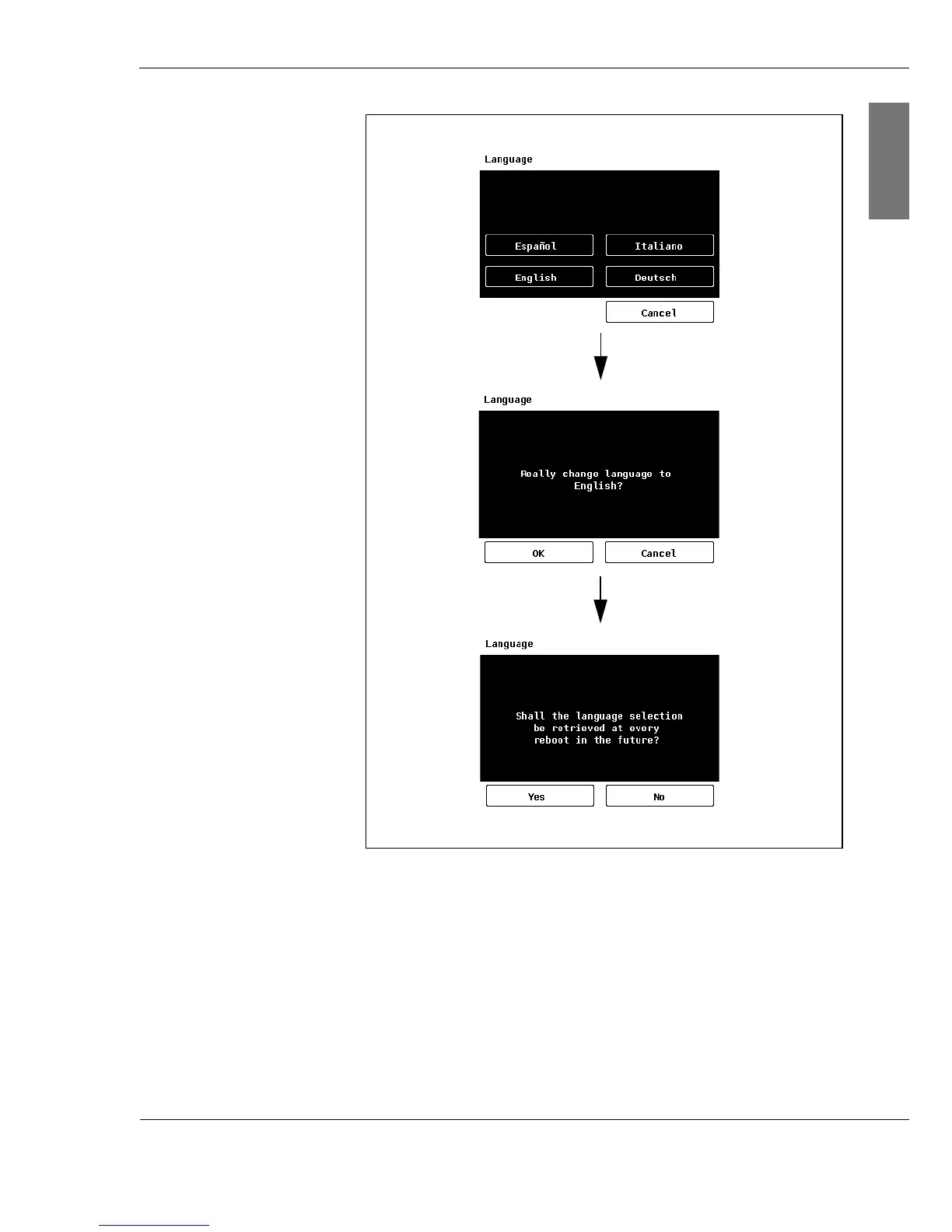
Fig. 4-1: Selecting the language
Display You can call up updated data for today, the values from the
previous day and photovoltaic system data for the last 7 days
via the display. The default setting displays current status
and yield. If you want to see the values for the previous day
or the data for the last 7 days, select the Di agr am menu and
then the desired display (Pr evi ous day; Week).



 To Next Page