2 2 Instruc tio n m anual C o n e r g y IP G s t r in g in v e r t e r s e r ie s
4 C o n e r g y IPG s t r in g v is io n in v e r t e r s e r ie s
ENGLISH
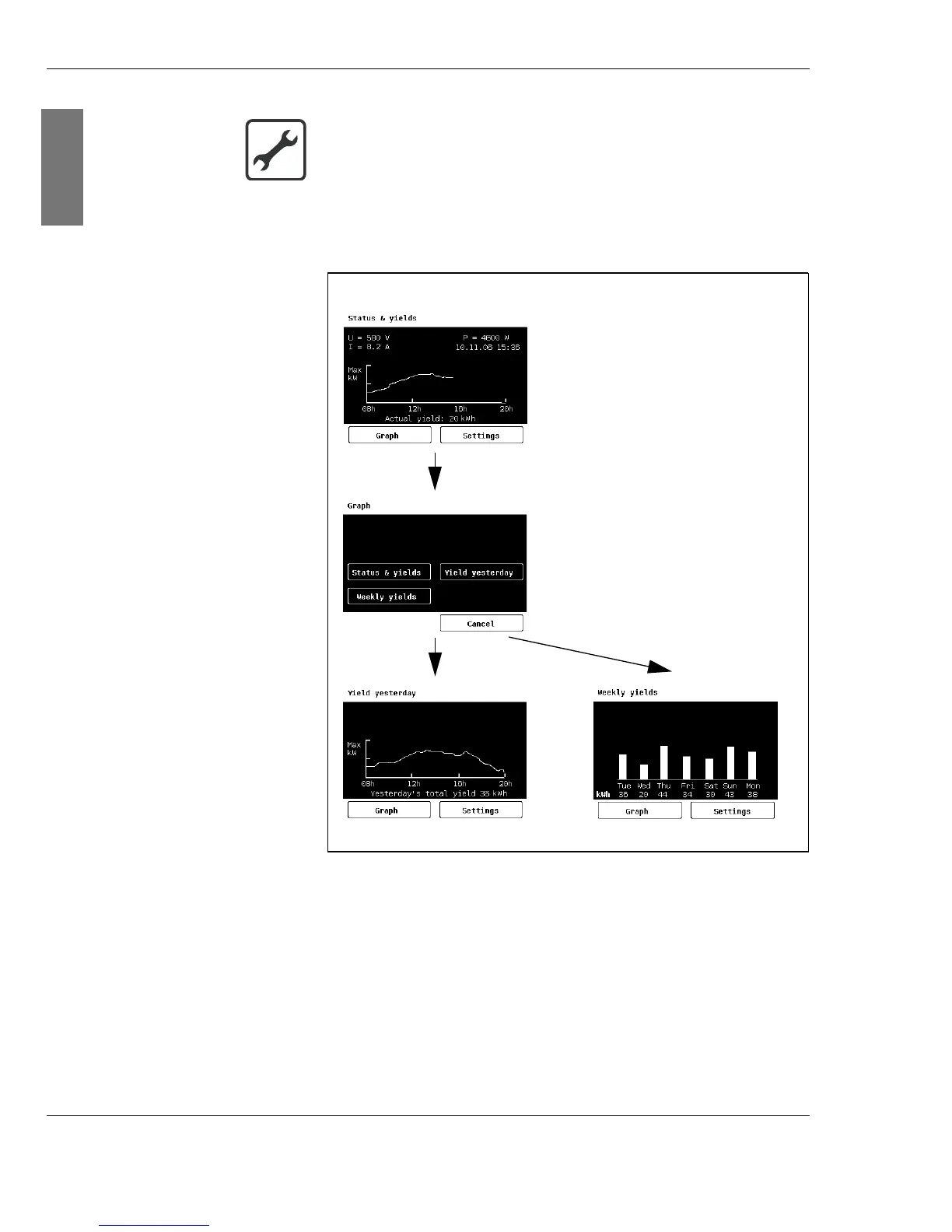
2. Select the desired display type by touching the
appropriate area.
Fig. 4-2: Selecting the display types
Settings In the Set t i ngs menu you can change the following:
| the language,
| the date,
|the time,
| the calibration,
| the display contrast.
Selecting the display type
1. Select the menu Set t i ngs by touching the appropriate
area.



 To Next Page