C o n e r g y IP G s t r in g in v e r t e r s e r ie s Instruc tio n m anual 3 9
6 In s t a lla t io n a n d c o m m is s io n in g
ENGLISH
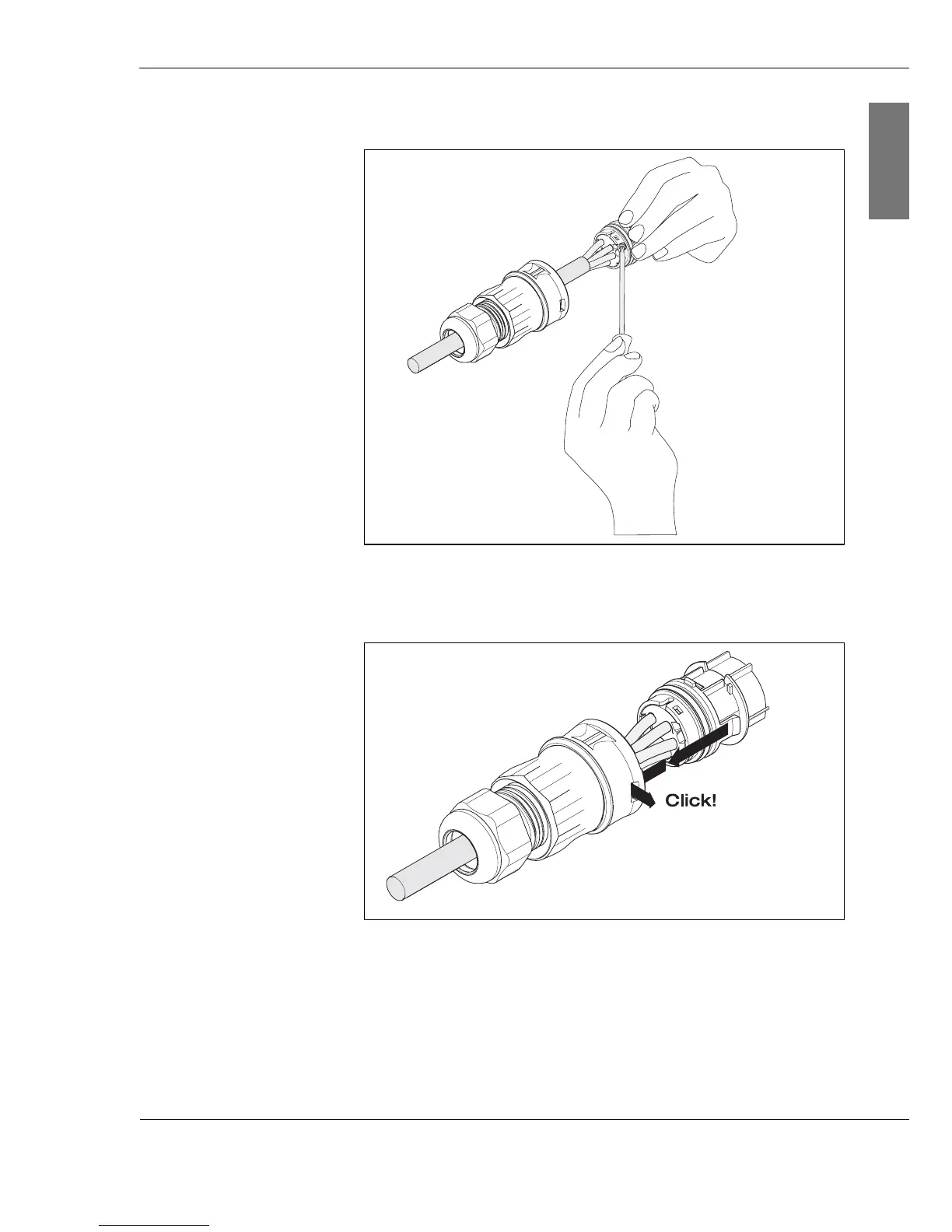
5. Tighten the screws on the end piece (3)
.
Fig. 6-5: Tightening the screws on end piece
6. Connect the end piece (3) to the connector cap (2).
Fig. 6-6: Connecting the end piece to the connector cap
A clicking sound confirms that the components are correctly
connected.
7. Screw the nut (1) tightly in place.
(3)
(3)
(2)
(1)



 To Next Page