6
4.3 Changing the Service Code
TheServiceCodeisusedtocoguretheCT1000’ssettings.
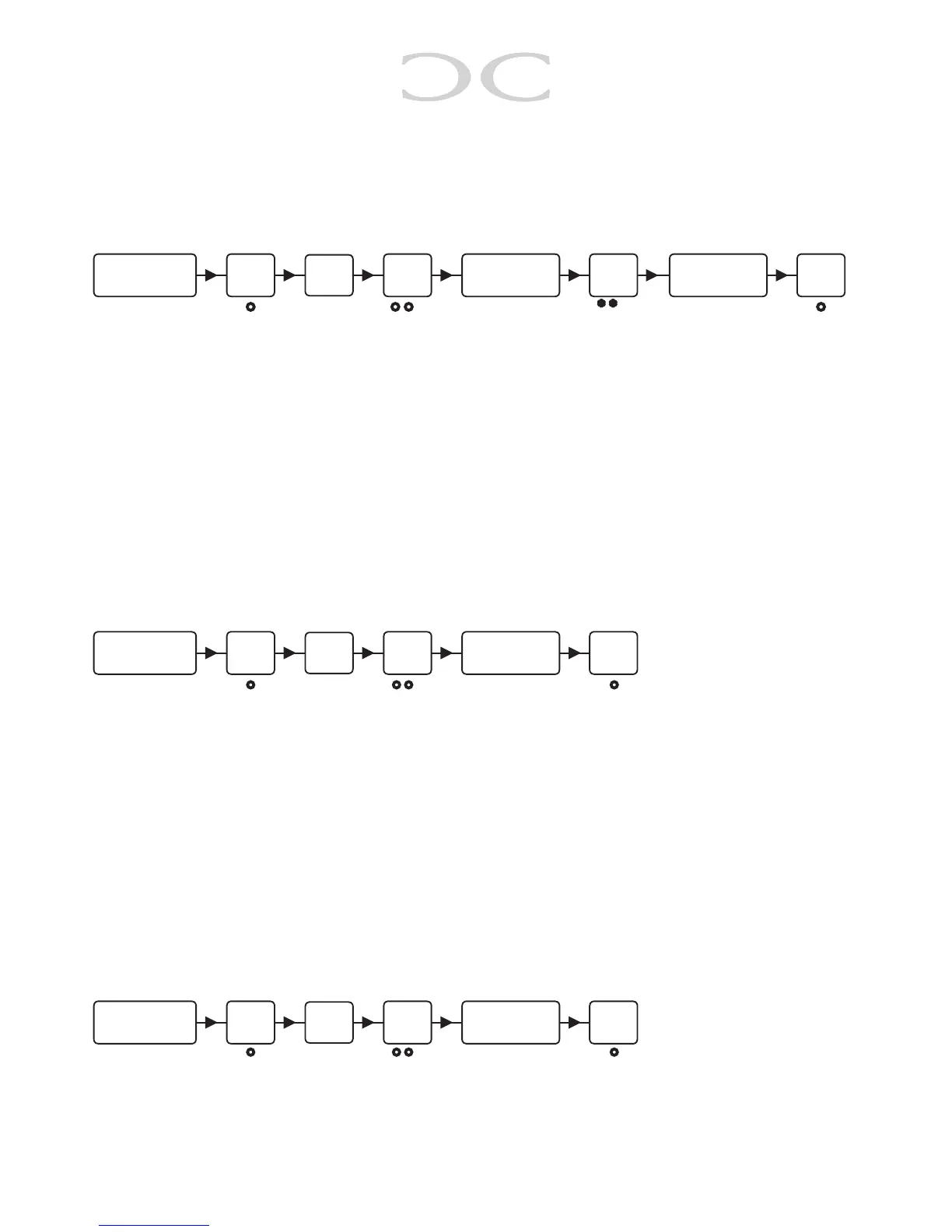
To change the Service Code, enter the following:
○ ● ○ ● ● ○ * * ○ ○ ● ○
4.5 LED Indication
CT1000’s 3 LED’s can be adjusted at will.
Putthedesiredvaluestogether(e.g.YELLOWasnormal,YELLOWandGREENasactive:
01+10+20 = 31) and key them in under “Key in value”.
Yellow LED Green LED Red LED
Normal 01 02 04
Active 10 20 40
To change the LED indication, enter the following:
○ ● ○ ● ● ○ ○ ● ○
Afteryouhaveentered#thenextsettingcanbechanged,toleavetheprogrammingmode
enter # again or wait 10 seconds.
4.6OutputTime
CT1000 has 2 transistor outputs (yellow (04) and white (03) wire), which both are activivated in
5 seconds (factory default) by correct code, the activation time can be changed.
The values are divided like this: 1 - 100 in seconds (e.g. 5 = 5 seconds, 101 - 199 in minutes
(e.g. 105 = 5 minutes) and 0 is toggle.
To change these settings, enter the following:
○ ● ○ ● ● ○ ○ ● ○
Afteryouhaveentered#thenextsettingcanbechanged,toleavetheprogrammingmode
enter # again or wait 10 seconds.
#
Key in the
Service Code
#
Key in
01
#
Key in a new
code
#
Repeat new
code
#
Key in the
Service Code
#
Key in
02
#
Key in value
#
Key in the
Service Code
#
Key in
03 / 04
#
Key in value


 To Next Page