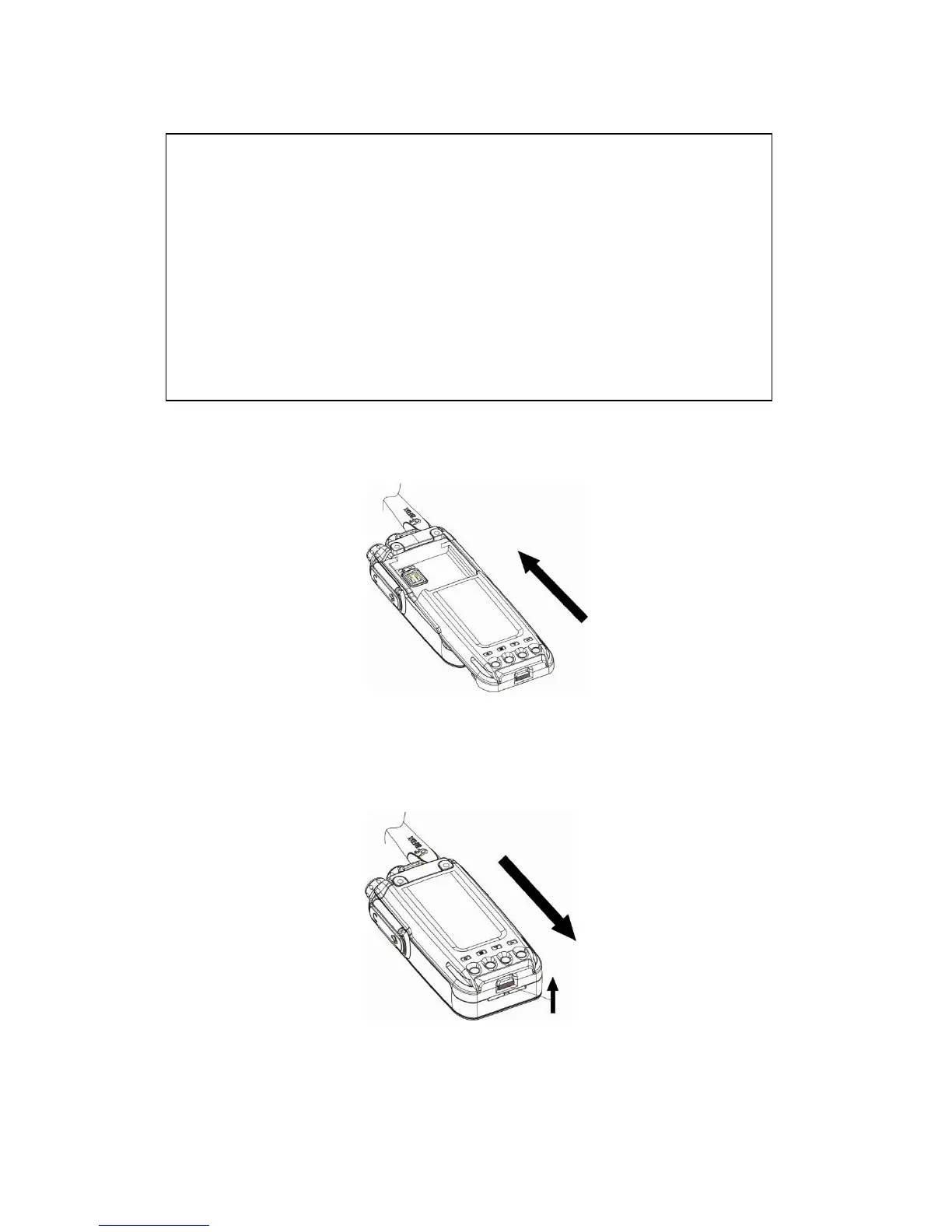
Attaching/Removing the Battery
Match the guides of the battery with the corresponding grooves on the upper rear of
the radio then press the battery until a click is heard to lock it in place.
To remove the battery, please turn the power off then press the release latch to
unlock the battery and pull the battery away from the radio.
Note: Don’t attach or remove the battery if the radio is turned on.
Warning
!
◆ Don’
t
sho
rt
-circuit the ba
tt
e
ry because
it might cause the ba
ttery
to
bu
rst
in
t
o
f
lame or otherwise be damaged
.
◆ Never a
tt
emp
t
to remove the casing from ba
tt
e
ry because you might be
exposed to caustic chemicals and you will damage the battery.
◆ Don’
t
throw the battery into fire or change it in an explosive area if you
value your life.



 To Next Page