message, device check, remote monitor, device enable or device disable.
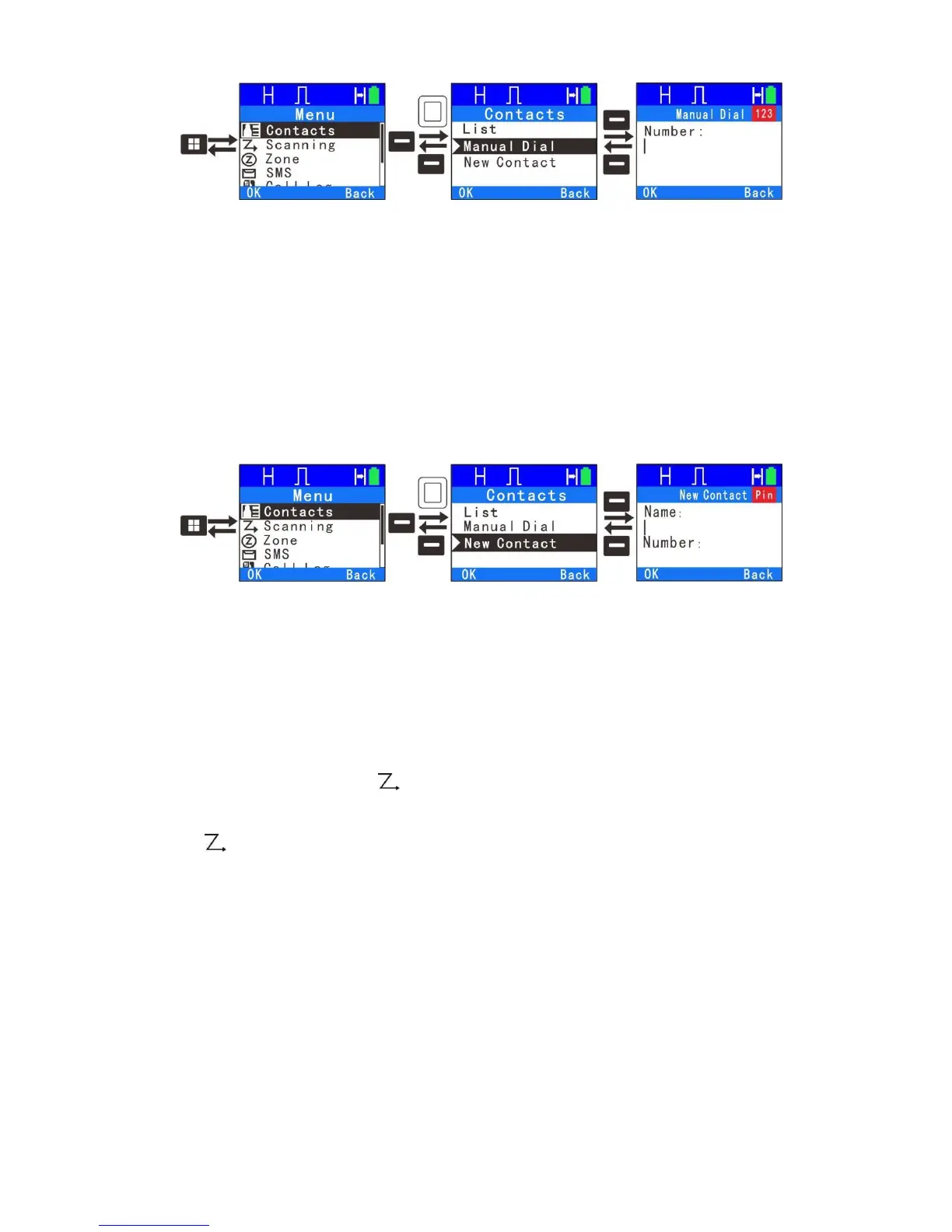
5. New Contact
You can add a private call contact to the contact list. When editing the name,
press”*” key to delete, press “#1” to enter special characters, press “#0” to enter
a space and use the rest of the keys to enter the alphanumeric characters. The
name can be up to 16 characters. Next input number. The number can have a
range of 1~16776415. After the private call contact was successfully added, the
contacts list will show the new contact.
Scan
1. Scan On/Off
If current channel scan list contains at least 2 channels, at you may enable
the Scan On/Off feature. Scanning allows the device to search the scan list
connected to the current channel to locate qualified channel for receiving voice.
During scanning, the icon “ ”flashes. When activities are detected on a
channel, the radio will stay on the channel to receive current activities and the
icon“ ” will stop flashing. If you don’t want to receive activities on the channel,
press the programmed Nuisance Delete key
22



 To Next Page