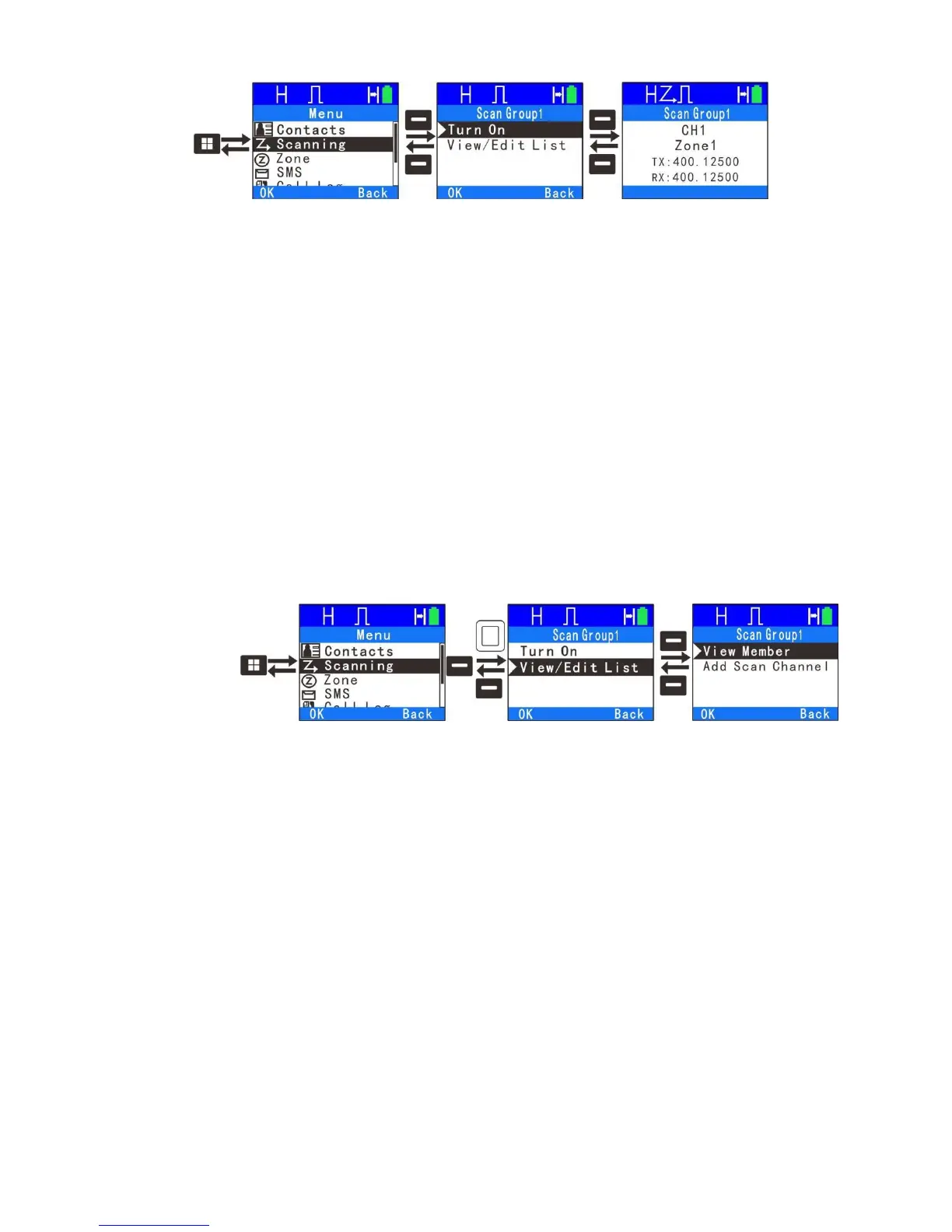
to remove the channel from the scan list temporarily. To exit the scanning
process, enter scan menu, switch channel or press the programmed Scan key.
Note: If the channel enables the feature “Auto Scan” via the programming
software, switching to that channel will enter scanning automatically. If button 1
or 2 is programmed as Scan on/off, press that button to enable scan feature.
2. View/Edit List
"View/Edit Member" allows a user to view the scan members, delete a member
from the scan list or add a member to the scan list. If you add a member, you
have to remember the list can contain no more than 16 channels. This feature
will not allow you to generate a new scan list or delete an existing scan list.
Digital and analog channel can appear in the same scan list.
23



 To Next Page