12
Connections
Using the AUX IN Connection
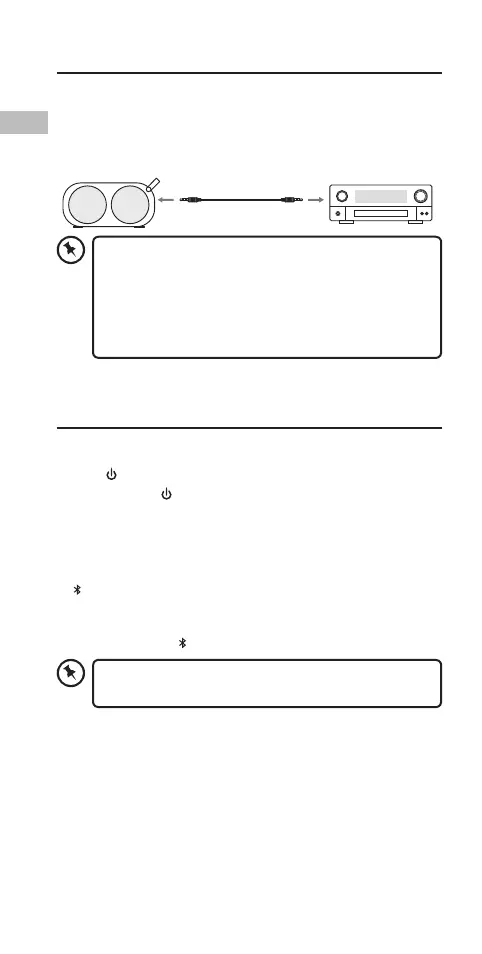
Use the 3.5 mm to 3.5 mm Stereo Audio Cable to connect the
headphone socket of an audio device and the AUX IN socket of
the unit.
3.5 mm to 3.5 mm
Stereo Audio Cable
• When an AUX IN cable is connected with the unit, it
will switch the source to AUX mode automatically,
even if you are listening to music via Bluetooth®
connection.
• Disconnect the AUX IN cable to enable Bluetooth®
mode.
General Operation
Powering ON/OFF
• Press Button to switch on the unit. You will hear a beep.
• Press and hold Button to switch o the unit.
Bluetooth® Operation
1. Switch on the unit, and it will enter Bluetooth® mode
automatically.
2. Bluetooth® button will ash in blue rapidly.
3. Search for the system with your Bluetooth® device and you
should see “PEGASUS”. Enter password “0000” if requested.
When connected, Bluetooth® button will light up blue.
When the unit has found the last paired Bluetooth®
device, it will connect automatically.
SCPEGBL_CG_SI15E_IB_5L_170104_will.indb 12 4/1/2017 6:35 PM


 To Next Page