CHAPTER 2 –Ha
r
dwa
r
e
I
n
s
tallatio
n
s
SPI-6941-LV 27
2
.
19
PS/
2
K
ey
bo
a
r
d /
M
ou
se
C
onn
ec
t
o
r
:
CN
23
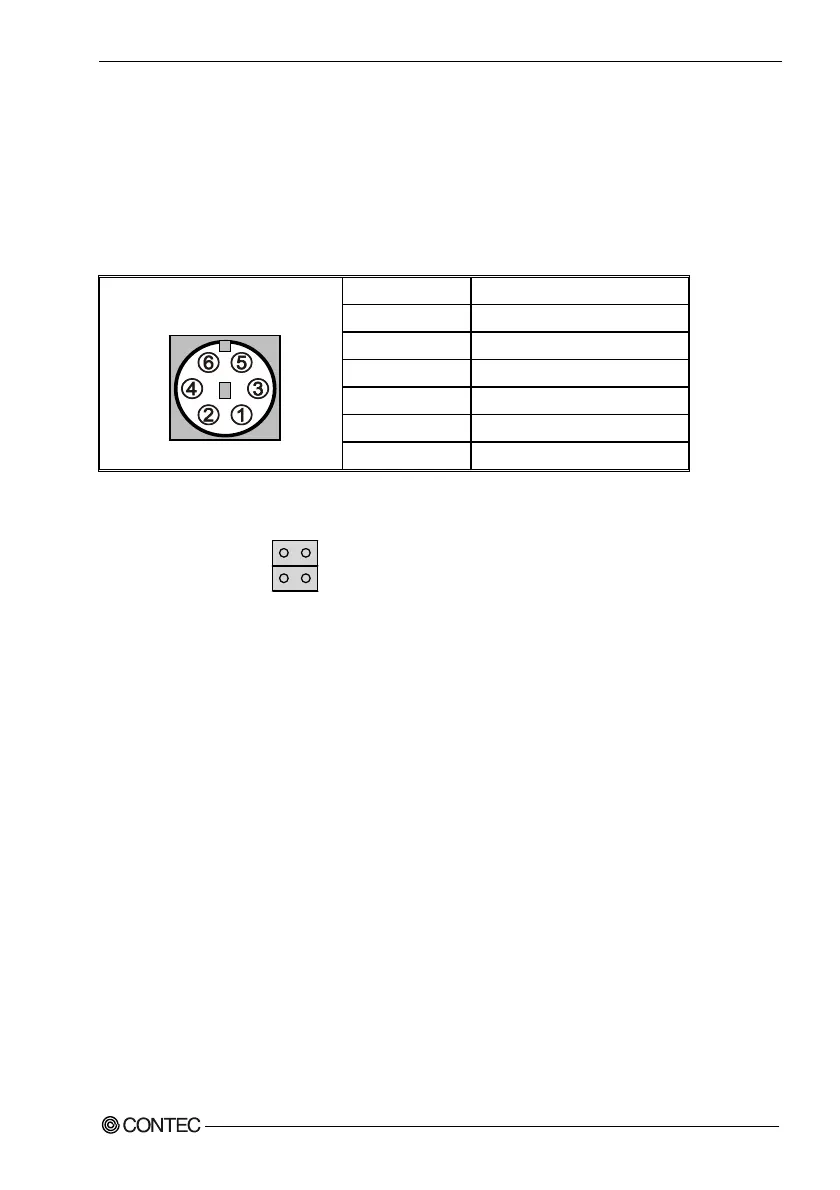
The CPU card provides a standard PS/2
®
mini DIN connector for attaching the PS/2
®
mouse & keyboard. You must plug a 2 in 1 cable to this connector. You can plug a PS/2
®
mouse and keyboard directly into each own connector. The Connector pin definition is
shown below:
P
I
N
N
o
.
Fun
c
t
i
on
1 Mou
s
e
D
a
t
a
2
K
e
y
boa
r
d
D
a
t
a
3
G
ND
4
+
5
VSB
5 Mou
s
e
C
l
o
ck
CN
23
6
K
e
y
boa
r
d
C
l
o
ck
To connect a mouse directly to the PS/2 keyboard/mouse connector (CN23), remove
the 1-2 or 3-4 connection from JP20.
De
f
a
ul
t
:
1
-
2
shor
t
:
3
-
4
shor
t
J
P
20
1
3
2
4
N
ote
:
Powe
r
to
s
hould be tu
r
ned off befo
r
e a keyboa
r
d o
r
m
ou
s
e i
s
connected o
r
di
s
connected.
The keyboard controller contains code which provides the traditional keyboard and
mouse control functions, and also supports Power On/Reset password protection. A Power
On/Reset password can be specified in the BIOS Setup program.
The keyboard controller also supports the hot-key sequence <Ctrl><Alt><Del>,
software reset. This key sequence resets the computer’s software by jumping to the beginning
of the BIOS code and running the Power On Self Test (POST).



 To Next Page