Edition 07/2010 - CC100 DISPLAY
NOTES TECHNIQUES - TECHNICAL DOCUMENTS - page 27
SACOME, CONFIDENTIAL Document,
it is forbidden to duplicate or communicate this document without previous authorization.
19. PROGRAMMING
19.1. GENERAL DEFINITION:
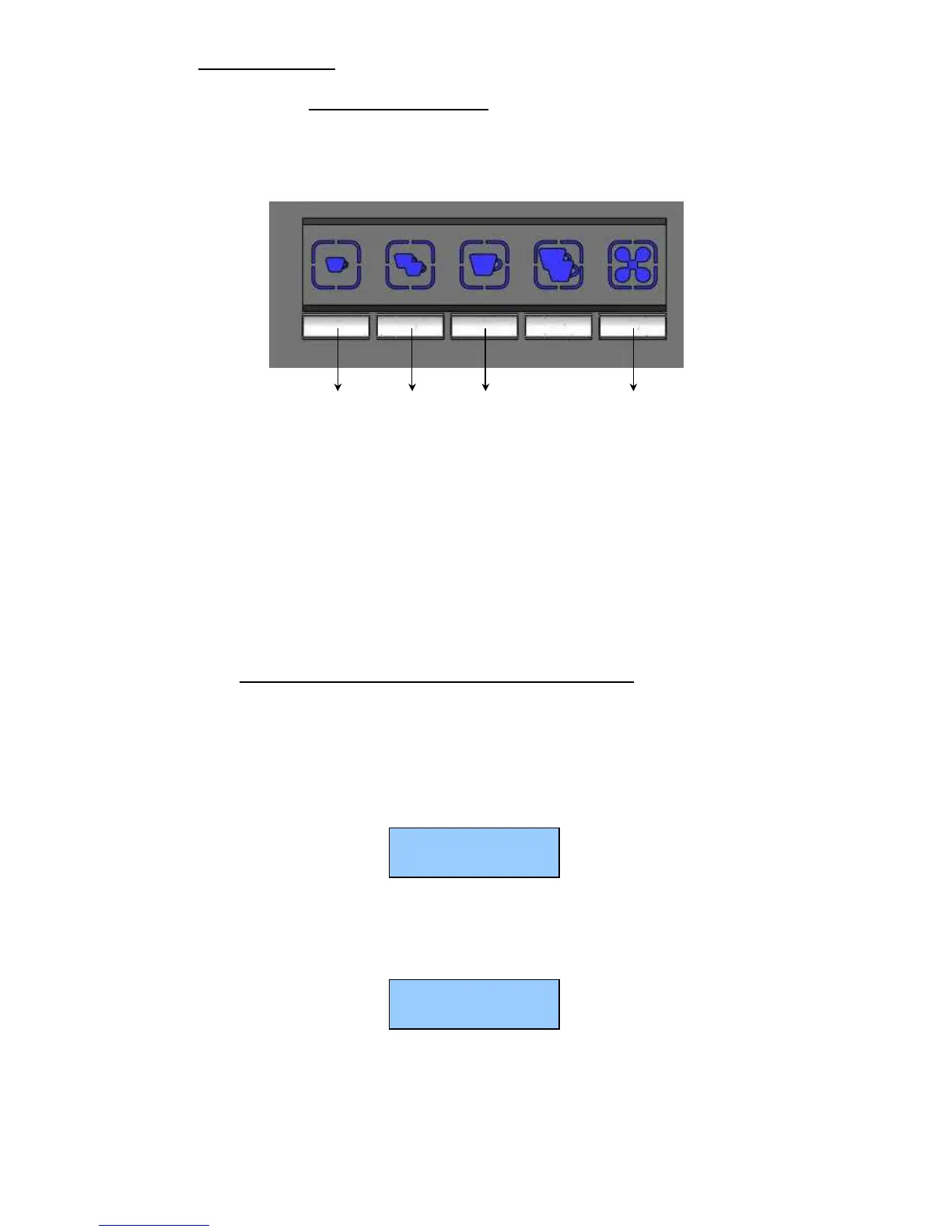
All programming is done on the group 1 (left group), the 5 keys are defined as follows
+ -
ENTER MENU
P1 Gr1 P2 Gr1 P3 Gr1 P5 Gr1
1shot 2shot 1regular continuous
espresso espresso coffee flow
All the information appears on the display.
There are 2 menus:
- Technical menu (accessible when the machine is in Eco mode)
- Dose programming (accessible when the machine is not in Eco mode)
19.2. ACTIVATION PROGRAMMING OF THE ECO MODE :
The Eco mode automatically manages a temperature of 60 ° C in the boiler and the filling of the boiler .
This mode is usually used at night to save electricity. In this mode, you can not make coffee products.
To enable the activation of the Eco mode, proceed as follows:
a) Keep pressing the keys "P5 Gr1" + "P3 Gr1" for a few seconds.
b) All LEDs switch off to indicate the switch to Eco mode and LED “L1 Gr1"starts to flash very slowly
and the display indicate:
To return to normal operation, proceed as follows:
a) Press the button "P3 Gr1".
b) All the LEDs light up to indicate the return to normal operation.
c) The machine will heat up to reach the programmed temperature and the display indicate
The heating of the machine starts to reach the programmed temperature.
ECO
CONTI ESPRESSO
117°C
CONTI ESPRESSO



 To Next Page