Edition 04/2017 - CG400
SACOME, Document CONFIDENTIEL,
Ne peut être reproduit ni communiqué sans notre accord préalable.
- 22 -
USER MODE & EXPLANATION “TIME LAG”
This new feature added, is linked to the operation of the grinder that is equipped with an activation switch
for the porta-filter.
To enable, it must be activated in the menu programming. The delay time can be adjusted and is used
to offer to the operator the option to complete the shot if the grinding cycle was briefly interrupted to settle
ground coffee in the porta-filter.
The grinder is operated in a different mode if function “Time Lag” is activated or deactivated.
To activate the user mode “operation with activation switch”, the time of the time lag must be set 0.01 or
higher.
See Photo 1 below that explains the user mode with active “Time Lag”.
GRINDING 1 OR 2 CUPS (TIME LAG INACTIVE) YOU HAVE TO SELECT THIS FUNCTION.
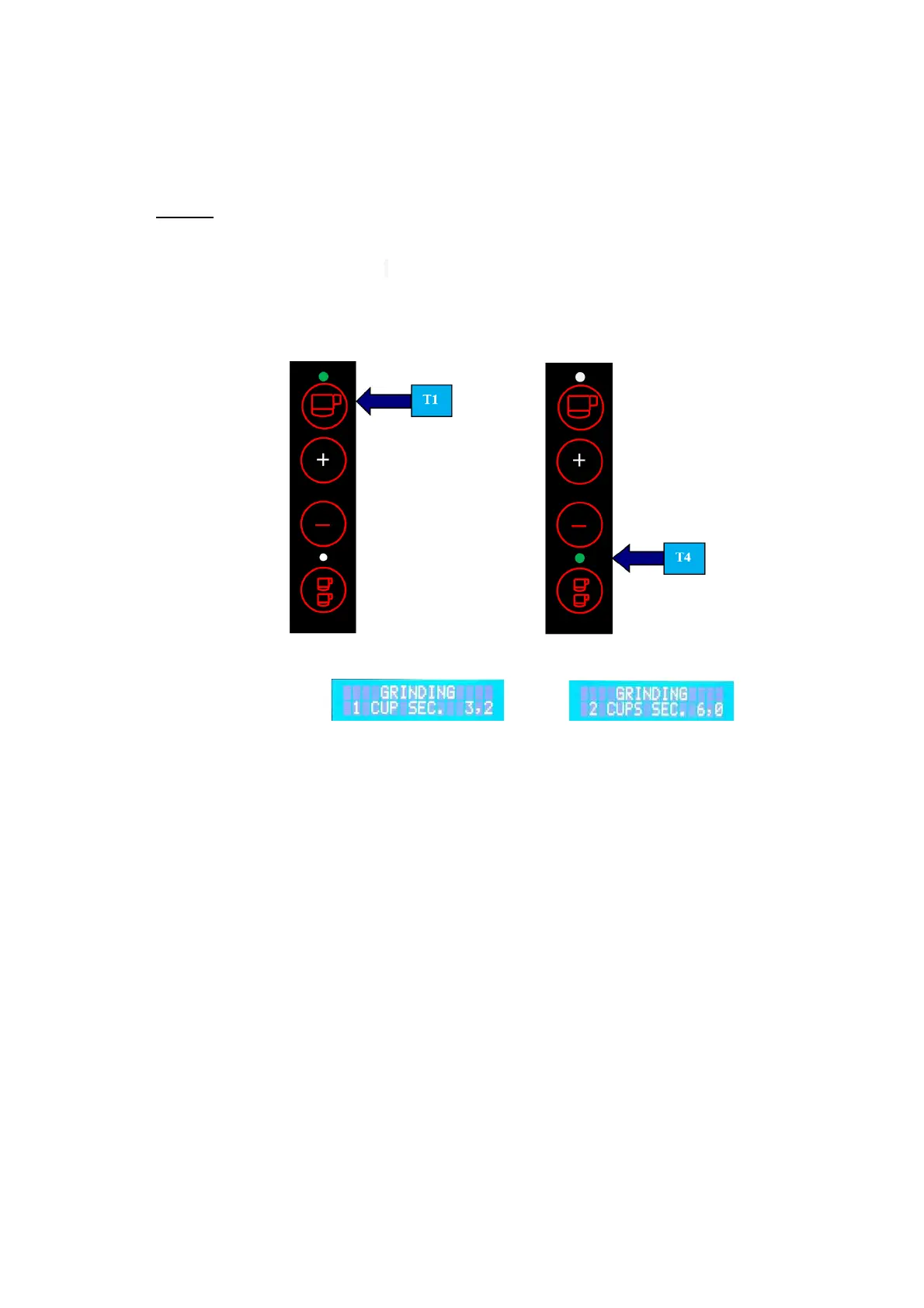
To start a grinding cycle, push either T1 or T4. The machine will then start and complete the
grinding cycle according to the time set that appears on the display for either 1 or 2 cups.
(See Figure 2).
Example: 1 cup
Example: Display shows:
Once the grinding cycle is completed, the machine will return to Stand-by mode
(see Figure 1 and 2). To stop the grinding cycle before completion, push the same
key again (either
T1
or
T4)
.


 To Next Page